
What You’ll Learn
- What Does Workflow Automation Actually Do for Nonprofits?
- What Are the Top 5 Workflow Automation Tools for Nonprofits in 2026?
- Tool Comparison at a Glance
- How Do You Choose the Right Tool for Your Nonprofit?
- Where Should Your Nonprofit Start with Automation?
- Frequently Asked Questions
- Your Next Steps
- Sources
What Does Workflow Automation Actually Do for Nonprofits?
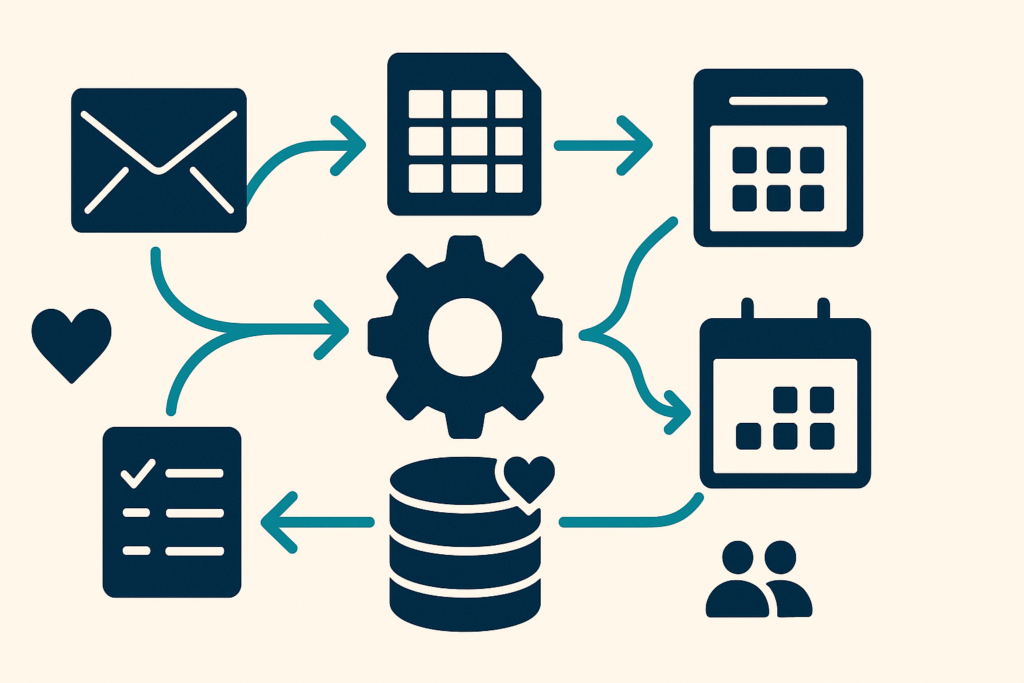
Workflow automation connects the software your nonprofit already uses, your CRM, email platform, forms, spreadsheets, and project management tools, so they trigger actions automatically, without a staff member manually initiating each step.
The most common manual workflows that automation replaces at nonprofits:
- Copying donation data from a payment processor into a CRM
- Sending acknowledgment emails after each gift is processed
- Routing grant applications or approval requests to the right reviewer
- Adding new volunteer form submissions to a tracking spreadsheet
- Scheduling follow-up reminders after donor calls or events
- Generating and distributing monthly impact reports from live data
A 2023 Salesforce Nonprofit Trends Report found that nonprofits spend an average of 20 to 30 hours per week on administrative tasks that could be partially or fully automated with existing tools. For a team of 10, that is the equivalent of one part-time position consumed by tasks that software could handle.
The ROI case is straightforward: if a development assistant spends 5 hours per week manually sending acknowledgment emails and entering donation data, automating those workflows returns roughly $7,500 to $10,000 in annual staff time at nonprofit salary rates. Most small automation setups cost under $600/year in software. Scottship Solutions helps nonprofits build the AI and automation systems that make this math work in practice, not just in theory.
What Are the Top 5 Workflow Automation Tools for Nonprofits in 2026?
1. Microsoft Power Automate: Best for Microsoft 365 Users
Price for nonprofits: Included in Microsoft 365 Business Basic (free for nonprofits for up to 10 licenses via Microsoft for Nonprofits; $3/user/month for additional seats).
Power Automate is the most valuable automation tool for nonprofits already in the Microsoft ecosystem. It connects natively with Outlook, SharePoint, Teams, Excel, and Forms, meaning you can automate grant tracking in SharePoint, meeting follow-ups in Teams, and donation acknowledgments from Outlook without leaving the M365 environment. For nonprofits that qualify for Microsoft’s nonprofit pricing, Power Automate is effectively free software with substantial capability.
Best for: Nonprofits using M365 who want to automate internal approvals, SharePoint workflows, and cross-Office-app processes. Limitation: Connecting tools outside Microsoft’s ecosystem (Salesforce, Bloomerang, Mailchimp) requires additional connectors that may have costs.
2. Zapier: Best for Cross-Platform Integrations
Price for nonprofits: Free tier (100 tasks/month, two-step Zaps only). Starter at $19.99/month (750 tasks). Professional at $49/month (2,000 tasks).
Zapier supports over 6,000 app integrations and is the most widely used automation platform for nonprofits that need to connect tools across different vendors, Bloomerang to Mailchimp, JotForm to Google Sheets, Eventbrite to a CRM. Its interface is designed for non-technical users, and most common nonprofit automations can be configured without writing code. The free tier handles a meaningful number of automations for very small organizations or as a starting point before moving to a paid tier.
Best for: Nonprofits with mixed tool stacks that need to connect CRM, email marketing, donation platforms, and project management tools. Limitation: Gets expensive at high task volumes compared to Make.
3. Make (formerly Integromat): Best for Complex, High-Volume Workflows
Price for nonprofits: Free tier (1,000 operations/month). Core at $9/month (10,000 ops). Pro at $16/month (10,000 ops + advanced features).
Make is Zapier’s most cost-effective alternative for nonprofits with more complex automation needs. Where Zapier triggers a linear sequence of steps, Make uses a visual scenario builder that supports branching logic, loops, error handling, and data transformation, capabilities that are essential when automating reporting workflows or complex approval chains. At $9/month for 10,000 operations, it is significantly cheaper than Zapier at the same volume.
Best for: Nonprofits that have outgrown Zapier’s free tier or need conditional logic in automations. Limitation: Steeper learning curve than Zapier; requires more setup time.
4. Monday.com / Asana: Best for Project and Program Workflow Automation
Price for nonprofits: Monday.com offers a nonprofit discount (contact their team directly; typically 30 to 50% off). Asana has a free tier for up to 15 users and offers nonprofit pricing on paid tiers.
If your nonprofit’s workflow automation need is primarily around project delivery, program management, and internal task routing, rather than data integration between apps, a project management tool with built-in automation may be more appropriate than a standalone automation platform. Both Monday.com and Asana support rules-based automation: automatically assigning tasks when a project reaches a stage, notifying a supervisor when a deadline is missed, or moving a grant application through review stages without manual intervention.
Best for: Nonprofits whose primary bottleneck is internal workflow coordination and project delivery, not app-to-app data integration.
5. Airtable: Best for Data-Centric Nonprofits with Diverse Workflows
Price for nonprofits: Free for up to 5 editors (1,000 records/base). Team at $20/user/month. Nonprofit pricing available via request.
Airtable combines a database with built-in automation, forms, and views, making it uniquely useful for nonprofits that manage complex program data alongside their automation needs. Airtable automations can trigger email notifications, update records, send Slack messages, and call external APIs when data conditions are met. For nonprofits tracking program participants, case files, or grant portfolios in structured data, Airtable automates workflows that no CRM natively supports.
Best for: Nonprofits with complex program data management needs that fall outside what a standard CRM handles. Limitation: Not a replacement for a donor CRM; better as a supplementary operational database.
Tool Comparison at a Glance
| Tool | Nonprofit Price | Best For | Learning Curve | App Integrations |
|---|---|---|---|---|
| Power Automate | Free with M365 | Microsoft ecosystem automation | Medium | 500+ (Microsoft-first) |
| Zapier | Free (100 tasks/mo) | Cross-platform integrations | Low | 6,000+ |
| Make | Free (1,000 ops/mo) | Complex, high-volume workflows | Medium, High | 1,000+ |
| Monday.com/Asana | Nonprofit discounts | Project & program workflows | Low | 200+ |
| Airtable | Free for 5 users | Data-centric program management | Medium | 600+ |
How Do You Choose the Right Tool for Your Nonprofit?
The right choice comes down to three questions:
1. What ecosystem are you already in? If your nonprofit uses Microsoft 365, start with Power Automate, you already have it. If you use Google Workspace, Zapier or Make will connect your tools more naturally. Paying for a third-party automation platform when your existing subscription includes automation capabilities is a common waste of budget.
2. How complex are the workflows you need to automate? Simple, linear automations (if X then Y) work well in Zapier with minimal setup. Multi-step workflows with conditional branches, data transformation, or error handling are better handled in Make or Power Automate. Project coordination automation belongs in your project management tool, not a standalone integration platform.
3. What is your team’s technical comfort level? Zapier has the lowest barrier to entry for non-technical staff. Make and Power Automate require more structured thinking about workflow logic but deliver more capability. Airtable requires the most setup but is uniquely flexible for data-heavy programs. Match the tool to the team member who will maintain it, not just to the tool’s capability ceiling.
Where Should Your Nonprofit Start with Automation?
The most valuable first automation for most nonprofits is donor acknowledgment: a trigger that sends a personalized thank-you email the moment a gift is recorded in your CRM, without a staff member drafting or sending it manually.
This is the right starting point because it is high-frequency (runs after every gift), low-risk (a missed acknowledgment is recoverable), immediately measurable (staff time saved per month), and donor-facing (builds retention). Most CRMs, Bloomerang, Salesforce NPSP, DonorPerfect, have native automation for this. If yours does not, Zapier or Make connects any donation platform to any email tool in under two hours of setup.
The second-best starting automation is volunteer onboarding: triggering a welcome email sequence, calendar invite, and orientation materials when a volunteer application is marked approved. This is the automation that shows staff most visibly how much time they were spending on tasks software can now handle.
Scottship Solutions builds both starting automations as part of our AI & Automation engagements. If you want to implement AI and automation at your nonprofit, start with documented processes, automation of an undocumented process produces an undocumented automation that nobody can maintain.
Related guides: AI and automation for nonprofits and how process optimization works for nonprofits.
Frequently Asked Questions
What is workflow automation for nonprofits?
Workflow automation for nonprofits means using software to automatically trigger actions when defined conditions are met, sending a donation acknowledgment email as soon as a gift is recorded, routing a grant application to the right reviewer, or updating a spreadsheet when a form is submitted. It eliminates manual, repetitive steps from common operational processes, freeing staff time for mission-critical work. For nonprofits, the highest-value automation targets are donor communications, onboarding workflows, reporting, and internal approvals.
Which workflow automation tool is best for a small nonprofit?
For small nonprofits with under 25 staff, Microsoft Power Automate is usually the best starting point because it is included at no additional cost in Microsoft 365 Business Basic, which nonprofits get free. It automates tasks across Teams, Outlook, SharePoint, and Excel without any additional subscription. Zapier is the next best option for nonprofits that need to connect tools outside the Microsoft ecosystem, with a free tier that handles 100 automations per month. Scottship Solutions recommends starting with the tools you already pay for before purchasing standalone automation platforms.
How much does workflow automation software cost for a nonprofit?
Many nonprofits can start with zero incremental cost: Microsoft Power Automate is included in M365 (free for nonprofits with up to 10 licenses via Microsoft for Nonprofits), and Zapier offers a free tier covering 100 tasks/month. Paid automation tools range from $20 to $100/month for most small nonprofits. Make (formerly Integromat) starts at $9/month and handles complex multi-step workflows more cost-effectively than Zapier at scale. Organizations that have outgrown free tiers typically spend $30 to $60/month for the automation volume they need.
Where should a nonprofit start with workflow automation?
Start with the process your staff does most often and finds most tedious. For most nonprofits, that is donor acknowledgment (triggering a thank-you email when a gift is logged) or new volunteer onboarding (sending welcome information and scheduling orientation). These are high-frequency, well-defined, and low-risk, ideal first automations. Trying to automate complex, exception-heavy workflows first leads to broken automations and staff frustration. Build confidence and process knowledge with simple, reliable automations before tackling complex ones.
Can Scottship Solutions help implement workflow automation for my nonprofit?
Yes. Scottship Solutions designs and implements workflow automation for nonprofits across the full stack, from simple Zapier connections between your CRM and email platform to multi-step Power Automate flows across Microsoft 365. Our AI & Automation engagements start with a process audit to identify which workflows will deliver the most measurable time savings, then build and test automations with your team. We do not hand off a list of suggestions, we build and deploy the automations and train your staff to maintain them. Request a free consultation.
Your Next Steps
- Audit your current manual workflows. List the five tasks your team does most often that involve copying data between systems, sending templated communications, or routing requests for approval. These are your automation candidates.
- Check what you already have. If you use Microsoft 365, you have Power Automate. If you use Google Workspace, you have Apps Script and native Google automation. Start there before buying anything new.
- Pick one workflow to automate first. Donor acknowledgment or volunteer onboarding for most nonprofits. Set up, test, and measure it before building more.
- Connect automations to your CRM. The highest-value nonprofit automations run through your donor CRM. Make sure your automation tool integrates with Bloomerang, Salesforce NPSP, or whichever CRM you use.
- Request a free consultation with Scottship Solutions, we will review your current stack, identify your highest-ROI automation opportunities, and tell you which tool fits your workflow without upselling software you do not need.
Sources
- Salesforce.org, Nonprofit Trends Report, 5th Edition (2024)
- NTEN, Nonprofit Technology Enterprise Network: Sector State of Technology Reports
- TechSoup, Nonprofit technology discount programs and tool guides
- Microsoft, Microsoft for Nonprofits: M365 pricing and eligibility

Written by
Isabela Guimaraes
AI Consultant at Scottship Solutions
Isabela helps nonprofits and small businesses implement practical AI and automation solutions. She translates emerging AI capabilities into workflows that save time and expand mission impact.
Certifications
AWS Certified AI Practitioner • AWS Certified Cloud Practitioner • Google Cloud Generative AI Leader
Industries Served
Human Services, Healthcare & Community Health, Education & Youth Development, Child Advocacy