
TL;DR: The best free project management tools for nonprofits include Asana, Trello, ClickUp, and Monday.com, all offering robust free tiers suited to small teams. Choosing the right one depends on workflow complexity and collaboration needs. This guide reviews top free software project management options with nonprofit-specific pros and cons.
Managing a non-profit organization means every dollar and every minute counts. Your mission is your focus, but without efficient systems, valuable resources can be lost to disorganization and miscommunication. A project management system is a comprehensive tool that helps nonprofits plan, schedule, allocate resources, and manage administrative tasks, ensuring all aspects of projects are organized and controlled. Effective project management for non-profit organizations is no longer a luxury; it’s a necessity. But with tight budgets, how can you afford the tools you need?
The solution lies in the wealth of excellent free software project management tools available today. These tools support project planning, scheduling, and workflow organization, making it easier to manage and automate your projects. This complete guide will show you how to leverage these powerful resources to streamline operations, enhance collaboration, and focus on what truly matters: your mission. We’ll explore the best free project management software for nonprofits and help you find the perfect fit. Microsoft Project is widely recognized as the industry standard, but the free tools discussed here are strong alternatives for nonprofit needs.
Overcoming the Unique Challenges of Project Management in a Nonprofit Organization
Unlike for-profit businesses, nonprofits often face unique hurdles:
Limited Budgets: The cost of software can be a significant barrier. However, many free or discounted software programs are available specifically to eligible nonprofits, helping to reduce costs and improve access to essential tools.
Volunteer and Staff Management: You need tools that are intuitive and easy for both part-time volunteers and full-time staff to adopt.
Grant and Donor Reporting: Projects are often tied to specific grants, requiring meticulous tracking and reporting.
Resource Scarcity: Every task, from fundraising campaigns to event planning and marketing campaigns, must be executed with maximum efficiency. Small nonprofits often face even greater challenges due to limited resources and benefit most from free project management solutions.
Organizing and accessing project information is also crucial for effective nonprofit management, as it ensures everyone stays informed and aligned.
This is where a free project management tool becomes an invaluable asset. It provides the structure and visibility you need without impacting your financial resources. Task assignments help organize work and streamline collaboration among staff and volunteers, making it easier to manage projects efficiently.
Key Features of Free Project Management Software
Free project management software empowers nonprofits and small teams with mission-aligned features designed to streamline operations and amplify impact, all without straining tight budgets. When choosing free project management software, nonprofits should prioritize important features such as intuitive dashboards, integrated file storage, and robust to-do lists to ensure efficient collaboration and workflow management. At the core of these solutions lies powerful task management, enabling you to create, assign, and prioritize work so your mission-critical initiatives never fall through the cracks. To-do lists are a fundamental tool for organizing and tracking tasks, helping teams ensure nothing is overlooked. Project tracking capabilities let you navigate project progress in real time, ensuring your team stays mission-focused and can swiftly address any roadblocks that threaten your impact.
Collaboration becomes effortless with built-in collaboration tools like comments, file sharing, integrated file storage, and notifications, keeping every team member connected to your shared mission and simplifying document management and sharing. Many free project management platforms also provide time tracking features, so you can see exactly where your team’s valuable efforts are making the greatest difference and make informed decisions about resource allocation that maximize your impact.
To help you see the complete picture of your mission work, most platforms include an intuitive dashboard that consolidates project views and functions for improved team coordination and efficiency, as well as customizable dashboards, Gantt charts for timeline planning, and calendar views for strategic scheduling. These features make it simple to navigate the big picture while drilling down into the details that drive your programs forward. With these core capabilities, free project management software empowers nonprofits to stay organized and manage projects with clarity and purpose, turning every task into a stepping stone toward greater mission impact, all while keeping costs at zero.
Getting Started with Free Project Management Software
One of the most empowering advantages of free project management software lies in how effortlessly it launches your team into action. Most platforms streamline the onboarding process; simply establish your account, and you’re equipped to drive impact immediately. You can select from an array of project templates specifically designed to address common nonprofit challenges, or build from the ground up to craft a mission-aligned workflow that empowers your unique team dynamics.
Integrating tasks and bringing team members, including staff, volunteers, and employees, aboard requires just a few strategic clicks, enabling you to unite everyone around your shared mission seamlessly. Many free project management solutions provide guided navigation and interactive learning experiences, ensuring even newcomers can confidently command the platform from day one. From the start, these tools allow your team to set deadlines for tasks and projects, helping to organize work, track progress, and ensure timely completion. Furthermore, with mobile applications available across major platforms, you can safeguard project momentum and task oversight from any location, whether you’re coordinating from headquarters or engaging directly in the field. The intuitive architecture and ease of use position these tools as powerful allies for nonprofits determined to streamline their project coordination while eliminating barriers that could slow mission-critical progress.
The Top-Tier Free Project Management Tools for Non-Profit Organizations
Finding the right project management software for nonprofit organizations requires balancing features with ease of use. These free project management apps are especially suitable for small businesses and nonprofits, offering the best features for project managers and team collaboration. Many users report that their productivity and efficiency have increased significantly after adopting these tools. They provide streamlined collaboration and are strong alternatives to other project management software. While some tools offer free trials, our focus here is on genuinely free project management apps. For agile teams, Jira Software is a popular choice, supporting agile methodologies and tracking issues, but the tools below are excellent free options.
Asana is a favorite among teams for its flexibility and power. The platform allows you to manage tasks in a variety of views, including lists, kanban boards, and calendars, making it suitable for different work styles. Asana also supports managing personal tasks, using custom fields for improved tracking, and creating a to do list or task list for each project. You can easily create new tasks, track time spent on tasks, and integrate with Google Drive for seamless file sharing. Asana enables teams to collaborate in real time on projects and tasks, and also allows users to share documents for seamless information exchange. You can track project deadlines to ensure timely completion of tasks. Its free plan is incredibly generous, supporting up to 10 team members with unlimited tasks, projects, and storage. It’s the perfect choice for a growing nonprofit that needs a scalable solution to manage campaigns, grant applications, and daily operations. Asana also makes it easy to manage multiple campaigns at once, providing visibility and organization for all your ongoing initiatives.
Trello If your team is visually-oriented, Trello is the ideal free project management tool. It uses a simple kanban board system where you can move cards (tasks) between lists (stages of a project). Trello allows you to use multiple boards for different projects and makes it easy to create new tasks. You can also take advantage of calendar view and timeline view options to visualize project schedules and deadlines. Trello helps you track project deadlines and is perfect for simple project tracking, event planning, and managing a content or social media calendar. Nonprofits can also use Trello to plan and schedule social media posts, making it easier to coordinate outreach and engagement efforts.
ClickUp positions itself as an all-in-one solution. Its free plan is packed with advanced features, offering unlimited members, unlimited tasks, and 100MB of storage, with premium plans providing unlimited storage. You can customize views, automate repetitive tasks, and handle repetitive work efficiently. ClickUp also supports project plans, project updates, and the ability to manage project data and knowledge bases. Integration with Microsoft Teams and Google Sheets is available for enhanced team collaboration and data management. ClickUp is designed for cross team collaboration, supporting integrated teamwork across departments and platforms. You can also share documents within the platform for seamless information exchange. While it has a steeper learning curve, its power and customizability are unmatched for organizations that need a highly adaptable free project management software for nonprofits
Airtable is a hybrid of a spreadsheet and a database, making it a powerful solution for more data-driven projects. Nonprofits can use it to track donors, manage volunteer lists, or plan complex campaigns with multiple data points. Airtable allows you to manage project data, integrate with Google Sheets, and create detailed project plans. The platform is especially useful for managing project timelines for complex, data-driven projects, ensuring all tasks are organized and scheduled effectively. Airtable also enables nonprofits to manage multiple campaigns simultaneously, providing centralized tracking and analytics. The free version offers unlimited bases (workspaces), 1,200 records per base, and key features like different views and basic integrations. It’s an excellent choice for a nonprofit with a tech-savvy team.
Kanban Boards: Visualizing Your Nonprofit’s Workflow
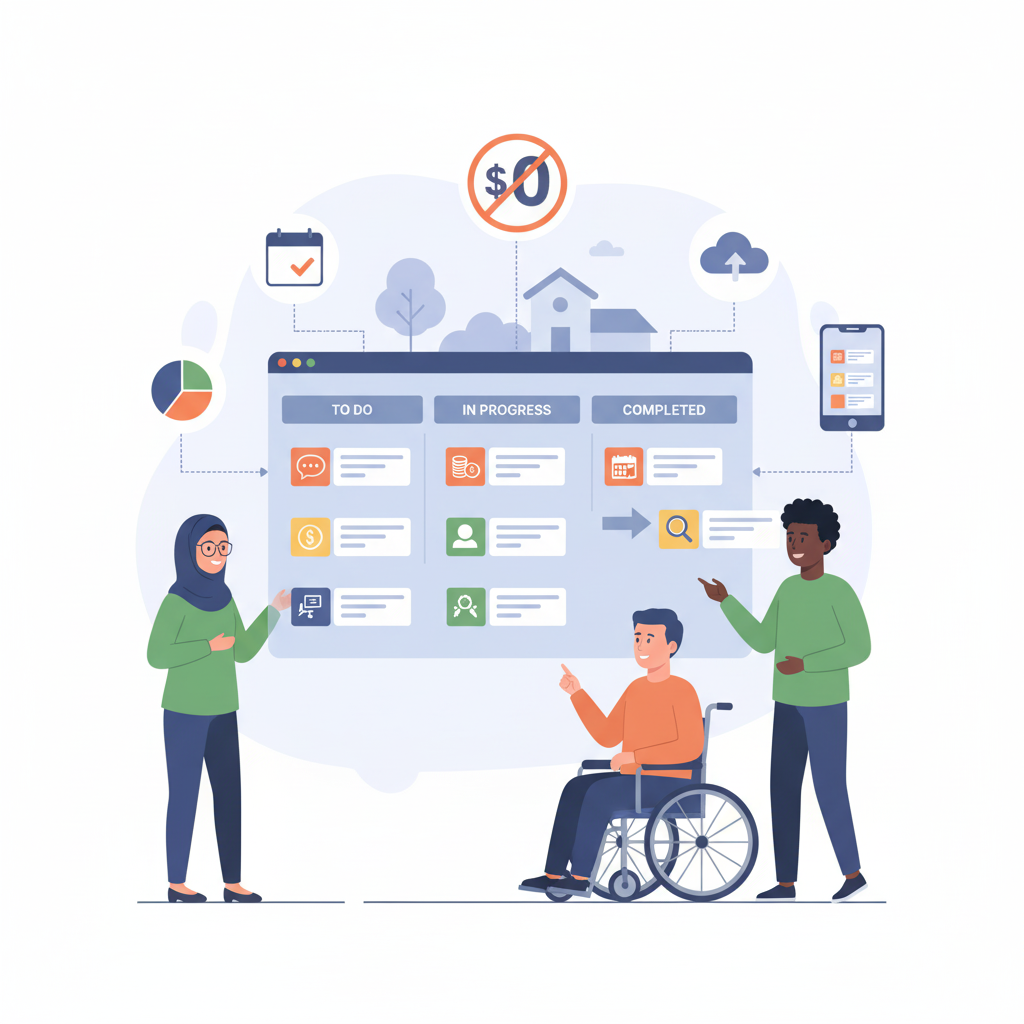
Kanban boards stand as a game-changing feature in nonprofit project management solutions, empowering mission-driven teams with a visual approach that streamlines workflow and amplifies impact. With a Kanban board, your organization’s projects become a clear roadmap displayed as columns that represent mission-critical stages, such as “To Do,” “In Progress,” and “Completed.” Tasks transform into actionable cards that move seamlessly from one stage to the next, giving every team member immediate visibility into what’s happening and ensuring nothing falls through the cracks.
This visual methodology proves especially powerful for nonprofits navigating multiple projects simultaneously, as it empowers teams to track progress in real-time while quickly identifying obstacles that could derail mission delivery. Whether you’re orchestrating a community event, driving a fundraising initiative, or coordinating volunteer efforts, Kanban boards serve as your trusted navigator, keeping teams aligned, focused, and mission-ready. By embracing this approach, your nonprofit can amplify productivity, eliminate confusion, and ensure that every task advances your mission from conception to completion.
Integrating Google Calendar for Seamless Scheduling
Streamlining your schedule becomes effortless when you connect Google Calendar with your nonprofit’s project management platform. This mission-aligned integration empowers your team to automatically synchronize critical tasks, grant deadlines, and board meetings between your project tools and calendar, eliminating the frustration of double-booking and freeing you from manual updates that steal precious time from your programs. With Google Calendar working seamlessly alongside your project management system, your team receives timely notifications and gentle reminders, ensuring every fundraising event and community outreach initiative stays on track while important donor meetings never fall through the cracks.
Most nonprofit-friendly project management platforms offer this powerful integration, making it simple to coordinate volunteer schedules, establish recurring program activities, and manage your organization’s mission-critical work all from one trusted hub. By streamlining your scheduling workflow, you can redirect more energy toward advancing your cause and less toward chasing down meeting logistics, ensuring your team collaborates smoothly while executing projects that truly amplify your impact in the community.
Choosing the Best Project Management Software for Nonprofit Organizations
The best project management tool free is the one your team will actually use. Selecting the right project management app involves evaluating the best features for your team’s needs. Consider these factors when making your decision:
Team Size: How many people will need access to the tool?
Project Complexity: Are your projects simple task lists or are they complex projects with multiple stages and dependencies? Effective project planning and having a clear project plan are crucial for managing complexity.
Required Features: Do you need Gantt charts, time tracking, or advanced reporting?
Ease of Use: Will your volunteers and staff be able to pick it up quickly?
A free platform is an excellent way to test the waters and establish strong project management practices without any financial commitment. As your organization’s needs evolve, you can upgrade to a paid plan for additional features, increased capacity, or enhanced performance. By implementing the right non profit project management tools, you can save time, reduce stress, and ensure your organization remains focused and effective. The right project management app can also streamline project planning and execution.
Project Management Best Practices for Nonprofits
To maximize your mission impact through strategic project management, it’s essential to embrace proven practices designed specifically for mission-driven organizations. Begin by establishing clear objectives that directly align with your nonprofit’s core mission, ensuring every team member understands not just what success looks like, but how it amplifies your impact. Define roles and responsibilities from the outset to eliminate confusion and foster accountability that protects your precious resources. Implement a robust communication strategy that prioritizes effective communication, keeping your mission-focused team connected and empowered throughout every project phase for greater project success.
Streamline task management by transforming ambitious goals into actionable, mission-aligned steps, leveraging strategic to-do systems and assigning responsibilities to team members who can deliver maximum impact. Tools like Gantt charts become your strategic compass, helping you navigate complex timelines and dependencies while maintaining clear visibility into progress and adaptability when mission needs shift. Don’t overlook implementing time tracking and expense monitoring systems that safeguard donor investments and ensure every resource serves your mission with maximum efficiency. By embracing these mission-critical practices, your nonprofit will amplify productivity, maintain organizational excellence, and advance your cause with unprecedented impact.
Getting the Most out of Free Project Management Tools
Empower your mission by harnessing every feature these free project management tools offer, transforming them into true multipliers of your nonprofit’s impact. Each free tool can be leveraged for different nonprofit needs, from project tracking to donor management and marketing. Begin by streamlining dashboards to spotlight the mission-critical data your team needs most, then explore automation capabilities that free your staff from repetitive tasks so they can focus on what matters: advancing your cause. Integrate with mission-aligned tools like Google Calendar to safeguard your schedules and keep deadlines synchronized with your goals. Consider using Google Ad Grants or similar tools to drive traffic to your nonprofit’s website or donation page, increasing visibility and engagement.
Don’t navigate alone; tap into the platform’s comprehensive knowledge base and support resources, your trusted guides offering invaluable insights, troubleshooting solutions, and proven strategies to optimize your workflow for maximum mission impact. Many free project management solutions also provide mobile applications, empowering you to protect project momentum and manage critical tasks wherever your work takes you. By proactively exploring these capabilities and staying committed to mastering new features, your nonprofit can amplify efficiency, strengthen collaboration, and transform these free tools into powerful vessels that propel your mission forward.
Integrating donor management and donor management software with your project management tools can streamline fundraising, supporter engagement, and donor database organization. This ensures you can track interactions, identify major donors, and maintain effective communication with your supporters. Google Analytics is another essential free tool for tracking website performance and user engagement, helping you optimize your nonprofit’s website for better engagement and conversion rates. As your organization grows, it may make sense to pay for premium features or advanced donor management software to meet expanding needs and maximize your impact.
Frequently Asked Questions (FAQ)
Are free project management tools really secure for handling sensitive data? A: Most reputable free software project management platforms use standard security protocols. Project managers benefit from these tools for planning and oversight, but you should always review their security policies and avoid storing highly sensitive or personally identifiable information on any public cloud service, free or paid.
What are the common challenges in project management for non-profits? A: Common challenges include managing diverse groups (staff, volunteers), balancing multiple projects with limited staff, securing grant funding, and reporting on project outcomes. The right tools can help address these issues by centralizing project information and automating communication.
Can these tools help with grant tracking and reporting? A: Yes. Many of these tools, especially Asana and Airtable, can be customized to track grant milestones, deadlines, and deliverables. A project management system can help organize and report on grant-related data. You can create a project for each grant to keep all relevant documents, tasks, and communications in one place, making reporting much easier.
How can I convince my team to start using a new tool? A: Start small with a single, low-stakes project. Choose a simple free project management tool like Trello to demonstrate its benefits. Some tools offer free trials, but there are also fully free options available. Once your team sees how it simplifies their workflow, they’ll be more receptive to using it for larger initiatives.