
What You’ll Learn
- What Microsoft actually did and why it matters
- The Copilot-vs-Claude-Code contradiction
- Why top-down AI mandates fail at nonprofits
- The audit-first nonprofit AI governance framework
- Multi-tool strategy vs single-vendor lock-in
- How to run your first AI tool audit (step by step)
- Frequently asked questions
- Your next steps
- Sources
If your nonprofit just finished rolling out Microsoft 365 Copilot because the board, the CEO, or a funder told you “AI is the future and Copilot is how you get there,” you need to read the January 22 reporting from The Verge before your next strategy meeting. Microsoft is not eating its own dog food. The same company selling Copilot licenses to nonprofits is instructing its own engineers, internally, to install and use Claude Code, a competing product from Anthropic, across some of its biggest product groups. That is not a small detail. It changes how you should think about nonprofit AI governance.
This post is not a Copilot takedown. Copilot is a legitimate product with real use cases, and for many nonprofits already deep in the Microsoft 365 stack it is a reasonable starting point. The point of this post is different: the way nonprofits are being pushed into Copilot is the wrong way to build an AI strategy, and Microsoft’s own internal behavior is the proof. A tool mandate is not a governance framework. A governance framework starts with an audit of what your team actually uses, and the right approach for a nonprofit looks a lot more like what Microsoft is doing internally (pick the best tool for the job) than what Microsoft is selling externally (one license, everyone’s on it).
What Microsoft actually did and why it matters
On January 22, 2026, The Verge published an internal Microsoft directive showing that engineers across Windows, Microsoft 365, Teams, Surface, and other major divisions were being told to install and use Claude Code, Anthropic’s terminal-based AI coding agent. The memo made clear this was not a skunkworks experiment or a handful of curious developers. It was a broad, senior-level push to get Claude Code into the hands of thousands of Microsoft engineers, and in at least some Copilot teams the tool was approved for use across all code repositories. (Sources: The Verge, LeadDev, Yahoo Finance, AI CERTs, all dated on or around the January 22 reporting.)
To be clear about what this is and what it is not. Microsoft is not deprecating GitHub Copilot, the AI coding assistant that lives inside editors and has been a Microsoft product since 2021. Copilot the developer product is still widely used. And Microsoft 365 Copilot, the productivity assistant your nonprofit is being asked to license, is a different product line entirely, aimed at business users rather than engineers. So the headline is not “Microsoft replaces Copilot with Claude.” The headline is “Microsoft, when given the choice of which AI to hand to its own engineers for the hardest agentic coding work, picked Claude Code.”
That is the relevant story for nonprofit leaders. Microsoft is a large, sophisticated buyer of AI tools. It has unlimited access to its own Copilot products for free. It still chose to bring in a competitor’s tool for the work that matters most to its engineering teams. When your vendor makes that choice internally, you should be asking what choice you should be making.
Why this is different from other “vendor uses competitor” stories
Every tech company uses some tools from its competitors. Microsoft engineers have used non-Microsoft IDEs, non-Microsoft operating systems, and non-Microsoft cloud services for years, and nobody thinks twice about it. What makes the Claude Code story different is the scale, the timing, and the overlap. Microsoft is currently spending billions marketing Copilot as the definitive enterprise AI platform. The company partially owns OpenAI, whose models power most of the Copilot line. And the directive is not a whispered exception for a handful of engineers; it is reportedly a cross-divisional rollout involving groups that ship Copilot itself. That is the combination that makes this a data point for anyone buying AI today, including nonprofit leaders deciding where to invest a limited tech budget.
The Copilot-vs-Claude-Code contradiction
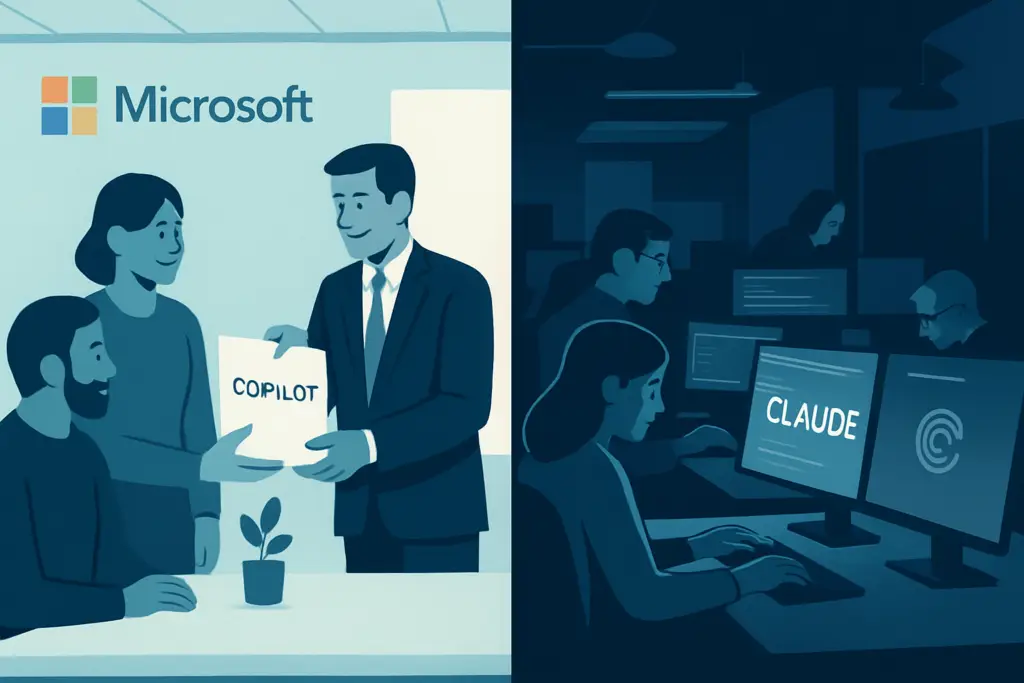
Here is the dissonance in one sentence. Microsoft is telling nonprofits that Copilot is the right AI tool for their team, while telling its own engineers that Claude Code is the right AI tool for theirs. Both statements can be true at the same time, because Copilot and Claude Code are aimed at different kinds of work. But when your vendor publicly argues “our tool is the best fit for you” while privately picking a competitor’s tool for itself, the honest conclusion is that the vendor is making a pragmatic, tool-by-job decision internally and a one-size-fits-all marketing pitch externally. That gap is the gap you should be building your nonprofit AI strategy inside of.
The most important implication is this. If a sophisticated buyer with unlimited access to Copilot is picking Claude Code for some of its highest-impact work, then a less sophisticated buyer should not be locking itself into a single vendor’s tool just because that vendor’s sales team is loud. A nonprofit operations director who signs a blanket Copilot license for the entire staff and writes an acceptable-use policy that says “AI at this organization means Copilot” is making exactly the opposite bet from the one Microsoft itself is making internally. Microsoft’s own behavior says: the right AI tool depends on the job. The right nonprofit AI governance framework says the same thing.
We covered a related governance story in our March post on the AI agent governance lessons from the AWS Kiro outage. The Microsoft-Claude Code story and the AWS-Kiro story point in the same direction from different angles. Kiro showed what happens when you give a single agent too much autonomy and no oversight. The Microsoft-Claude Code directive shows what happens when the same vendor is selling you the single-tool vision and buying the multi-tool vision for itself. Both stories say the same thing to nonprofit leaders: do not outsource your AI strategy to a single vendor’s marketing deck.
Why top-down AI mandates fail at nonprofits
A surprising number of nonprofits are rolling out AI the exact wrong way. We covered this pattern in our practical roadmap for implementing AI at nonprofits, and the Microsoft story reinforces the core lesson. The pattern looks like this. A board member reads about AI. The executive director feels pressure to “have an AI strategy.” A vendor (often Microsoft, sometimes another big platform) shows up with a discounted license and a PowerPoint. The nonprofit signs the deal, emails staff “we now have Copilot, please start using it,” and declares the AI rollout complete. Four months later the license is mostly unused, a handful of staff members are quietly using ChatGPT or Claude on personal accounts, and the “AI strategy” has not produced a single measurable hour of saved work.
This fails for reasons that have nothing to do with the quality of the tool. Mandates fail because they skip the two questions that matter. First, what is your team actually trying to do? Second, what tools are they already using to try to do it? Until you have concrete answers to both questions, handing the team a license is handing them a solution to a problem you have not defined.
The three specific failure modes we see most often
Across the nonprofit sector, the mandate model produces the same three problems over and over.
- Shadow IT. Staff members who prefer ChatGPT, Claude, Gemini, Perplexity, or a specialist tool for their specific workflow keep using it on a personal account. The official mandate pushes that use underground, which means the sensitive work happening in those tools now sits outside any governance the organization has built. The mandate did not create AI governance. It created a blind spot.
- Wasted spend. Licenses are paid for and not used. Or worse, licenses are used for the easy tasks (drafting a quick email) and never used for the high-impact tasks (automating the grant reporting boilerplate or the donor acknowledgment pipeline) because those high-impact tasks require custom setup and training that the rollout never budgeted for.
- Missed productivity. The tool that would actually save the development director 8 hours a week is a different tool from the one that would save the case manager 5 hours a week. A single-tool mandate assumes one AI fits all roles. It does not. At most nonprofits, the real productivity wins are spread across two or three different AI tools that each match a specific workflow.
None of these failure modes are exotic. They are the default outcome when a nonprofit treats AI as a procurement decision rather than an operations decision. The fix is to invert the order. Operations first, procurement second. Audit before you license.
The audit-first nonprofit AI governance framework
At Scottship Solutions we use an audit-first approach on nonprofit AI engagements, and the Microsoft-Claude Code story is a good reason to publish the full framework. It has five steps, applied in order, and every step is a precondition for the next. Skip a step and the framework falls apart. This is the same approach we bring to our nonprofit AI engineering services, and it is explicitly designed to work regardless of which vendor your nonprofit ends up buying from.
Step 1. Audit what your team is actually using
Before you license anything, ask. A short, non-judgmental survey of your staff takes one hour to draft, one week to collect, and produces more strategy value than any vendor pitch. Ask three questions. Which AI tools are you currently using for work, including on personal accounts? What are you using each one for? And which workflow, if an AI handled it, would save you the most time per week? The goal is to surface the real state of AI usage at your organization, not to catch anyone breaking a rule.
You will almost always find three things you did not know. A few staff members are already power users of a tool the organization has not officially adopted. A handful of workflows are being automated on personal accounts (which is a data governance problem you need to know about). And at least one role has a painful weekly task that AI could compress from hours to minutes. That last one is the highest-impact finding in the whole exercise.
Step 2. Map the tools to the workflows
Take the list of tools your team is using and the list of workflows they want help with, and match them. Most nonprofits end up with a picture like this. ChatGPT Business for general drafting and data analysis across the whole team. Claude for long-form writing where voice and style matter (grant narratives, case notes). A specialist tool (like Otter for meeting transcription or Descript for video editing) for role-specific work. And maybe Copilot for the staff members who live in Excel and PowerPoint all day. That picture is messier than “everyone on Copilot” but it reflects what actually delivers productivity.
This is the stage where most nonprofits realize they do not need to pick a single vendor. They need a small, defensible portfolio of AI tools that each match a specific workflow. That is exactly the choice Microsoft is making internally with Claude Code for agentic coding and Copilot for other developer work.
Step 3. Write governance around the tools you actually use
Now write the acceptable-use policy. The policy should answer four questions for every tool in your stack. What kinds of data can staff paste into this tool (public information, yes; donor PII, no). Who is responsible for the tool’s billing and access provisioning. What happens to chat history and how long is it retained. And who approves new workflows being moved into the tool. A one-page policy per tool is enough. A 20-page master policy that tries to cover every AI scenario in the abstract is too much.
The single most important rule to write down is the data rule. For most nonprofits, “no donor PII, no beneficiary case data, no financial account numbers, no HIPAA-protected information in any AI tool that does not have a signed business associate agreement” is the baseline. That rule is the same whether the tool is Copilot, ChatGPT, Claude, or anything else, which is why the governance has to be tool-agnostic in its foundation.
Step 4. Add a review checkpoint for every high-risk action
Wherever an AI tool in your stack can take an irreversible action (send an email, modify a CRM record, process a donation, post to social media), put a human review step in front of it. This is the lesson from the AWS Kiro outage applied at nonprofit scale. You do not need expensive software to build a review queue. A shared Slack channel or a simple approval workflow in your existing CRM is usually enough. The rule is that the human who approves the action has to be a different person from the one who generated it, at least for the highest-risk categories.
Step 5. Review the framework every quarter
AI moves too fast for a once-a-year policy review. Quarterly is the minimum cadence. At each review, re-run the short staff survey from step 1 (which tools are you using, what are you using them for, what would save you time). Check whether the tools you licensed are actually being used. Retire anything that is not earning its keep. Add anything that has shown up organically in shadow use and proven its value. The framework is a living document, not a binder on a shelf.
Nonprofits that do not have someone overseeing this work in-house often use a fractional CIO to run the quarterly review. A few hours of senior oversight per quarter is a lot cheaper than an annual license on a tool nobody uses, and the fractional CIO model is specifically built for organizations that need strategic IT leadership without the full-time cost.
Multi-tool strategy vs single-vendor lock-in
The knee-jerk reaction to the Microsoft-Claude Code story is to conclude that nonprofits should abandon Copilot and switch to Claude. That is not the right conclusion. The right conclusion is that nonprofits should stop thinking about AI strategy as a single-vendor question and start thinking about it as a portfolio question.
Here is the side-by-side that matters for nonprofit leaders evaluating the two approaches.
| Single-vendor mandate | Audit-first multi-tool strategy |
|---|---|
| One license for everyone, regardless of role | Tools matched to specific workflows and roles |
| Governance written around a product | Governance written around data and workflows |
| Shadow IT grows because staff pick different tools anyway | Shadow IT shrinks because preferred tools are now sanctioned |
| Switching cost is high if the vendor raises prices or changes terms | Switching cost is low because no single tool owns the whole workflow |
| Productivity wins are limited to what the single tool does well | Productivity wins compound across the best tool for each job |
| Easy to explain to a board, hard to execute in reality | Harder to explain in one slide, but matches how your team already works |
The multi-tool strategy is not a free-for-all. It is a disciplined portfolio: two or three tools, each with a clear owner, a clear data rule, and a clear workflow. Most nonprofits do not need more than three AI tools in their stack. But they almost always need more than one. For a practical look at what that portfolio might include, see our breakdown of the best AI tools for nonprofits in 2026.
How to run your first AI tool audit (step by step)
If you are convinced the audit-first approach is the right one, here is the concrete playbook to run the first audit at your organization. Set aside two weeks of calendar time, pull four or five staff members into the process, and use this sequence.
- Send the survey. Draft a three-question staff survey: which AI tools are you using for work, what are you using each one for, and which workflow would save you the most time if an AI handled it. Make it anonymous. Make it short. Give staff one week to respond. Include contractors and volunteers if they touch operational data.
- Interview the power users. The three or four people who gave the longest survey responses are your power users. Schedule 20-minute interviews with each of them. Ask how they discovered the tool, what they use it for, what it saves them, and what they wish their organization would do to support it. These interviews are where most of the strategy insights come from.
- Map the findings to workflows. Write down every workflow that came up in the survey and the tool (or tools) being used for it. Cluster similar workflows together. You are looking for the two or three workflow categories that, if automated well, would deliver the biggest productivity lift for the organization.
- Pick a small starting portfolio. Based on the mapping, pick two or three AI tools to sanction officially. Write a one-page policy for each (data rule, billing owner, approval rule, retention rule). Provision access to the staff members who actually need it, not the whole org.
- Set a 90-day check-in. Run the same three-question survey 90 days later. If the sanctioned tools are getting used and the shadow use has dropped, the framework is working. If not, you have data about what needs to change before the next quarter.
This audit is the work most nonprofits skip because it feels slower than just buying a license. It is slower on paper. It is dramatically faster in practice because the rollout actually sticks. A two-week audit plus a three-month check-in beats a 12-month Copilot license that nobody uses.
Frequently Asked Questions
Does the Microsoft Claude Code story mean nonprofits should drop Copilot?
No. Copilot is a legitimate product and can be the right tool for nonprofits that are already deep in the Microsoft 365 stack and whose primary AI use case is inside Excel, PowerPoint, and Outlook. The Microsoft-Claude Code story does not say Copilot is bad. It says Microsoft itself chose a different tool for a specific kind of work (agentic coding), which proves that the right AI strategy is tool-by-job rather than a single-vendor mandate. Nonprofits should evaluate Copilot alongside ChatGPT, Claude, and specialist tools, and pick the portfolio that matches their actual workflows.
What is nonprofit AI governance and how is it different from an IT policy?
Nonprofit AI governance is the set of rules, data policies, review checkpoints, and review cadence that control how AI tools are used at a nonprofit. It is different from a standard IT policy because AI tools can take autonomous actions (send emails, modify records, process donations) and because they can ingest sensitive data that needs specific protection rules. Good nonprofit AI governance is built around data and workflows rather than around a single product, which is why it survives when the underlying tools change.
How should a small nonprofit with no IT staff run an AI tool audit?
A small nonprofit can run the audit with the executive director and one or two operations staff. The survey is three questions. The power user interviews are 20 minutes each. The mapping is a spreadsheet. The policy is one page per tool. If the organization does not have the bandwidth for even that, a fractional CIO engagement can run the first audit and leave the organization with a repeatable framework for future quarters.
Why did Microsoft tell its engineers to use Claude Code?
According to the January 22, 2026 reporting from The Verge, Microsoft directed engineers across Windows, Microsoft 365, Teams, and Surface to install and use Claude Code for agentic coding work, and approved it for use across all code repositories in at least some Copilot teams. The reporting frames the decision as a pragmatic choice about which tool best fits a specific engineering workload. Microsoft has not publicly deprecated any of its own AI coding products; the directive is about adding Claude Code to the toolkit, not replacing existing tools.
What does “audit before you license” mean in practical terms?
It means surveying your staff about which AI tools they are already using and which workflows would benefit most from automation before buying any new AI licenses. The point is to base your AI strategy on your team’s actual work, not on a vendor’s sales pitch. Nonprofits that audit first typically end up licensing fewer tools, spending less money, and getting more adoption than nonprofits that license first.
How often should a nonprofit review its AI governance framework?
Quarterly is the minimum. AI tools and capabilities change fast enough that an annual review leaves the organization running last year’s framework against this year’s tools. A quarterly review is usually a one-hour meeting with the framework owner, a re-run of the three-question staff survey, and a short decision log of what is being added, kept, or retired. That cadence is the difference between a framework that stays relevant and a binder on a shelf.
Your Next Steps
- Send the three-question AI survey. This week. Don’t wait for a board meeting. The fastest way to improve your nonprofit AI governance is to find out what your team is actually using and what they want help with.
- List your high-risk workflows. Write down every workflow at your organization where an AI tool could take an irreversible action. Email sending, CRM updates, financial transactions, social posting. These are the workflows that need review checkpoints first.
- Write a one-page data rule. Not a 20-page master policy. A one-page rule that says which categories of data can be pasted into an AI tool and which cannot. Get the executive director to sign it. This alone closes more governance gaps than any single license purchase.
- Review your current Copilot or AI licenses. If your nonprofit is on an annual Copilot subscription and the adoption data is soft, do the audit before you renew. Switching to a multi-tool portfolio mid-year is much harder than choosing one at renewal.
- Schedule a governance review. Talk to a team that has run this playbook before. A short introductory call is usually enough to identify two or three quick wins and decide whether a fractional CIO engagement is the right fit for your organization.
Sources
- The Verge: Microsoft directs engineers to install Claude Code across Windows, Microsoft 365, Teams, Surface, and other divisions (Jan 22, 2026)
- LeadDev: Why Microsoft engineers are using Claude Code for agentic coding workloads
- Yahoo Finance: Microsoft directed engineers to use Claude Code, including inside Copilot teams
- AI CERTs: Microsoft pilots Claude Code in a large internal engineering test

Written by
Isabela Guimaraes
AI Consultant at Scottship Solutions
Isabela helps nonprofits and small businesses implement practical AI and automation solutions. She translates emerging AI capabilities into workflows that save time and expand mission impact.
Certifications
AWS Certified AI Practitioner • AWS Certified Cloud Practitioner • Google Cloud Generative AI Leader
Industries Served
Human Services, Healthcare & Community Health, Education & Youth Development, Child Advocacy
Ready to build an AI governance framework that actually fits your nonprofit?
At Scottship Solutions, we bring this audit-first approach to every nonprofit AI engagement. The engagement starts with a short staff survey, moves through a power-user interview round, produces a one-page data rule and a small sanctioned tool portfolio, and leaves your organization with a governance framework that survives vendor changes.
If your nonprofit is staring down a Copilot renewal, a new AI mandate from the board, or the uncomfortable feeling that your staff are all using different tools nobody has written a rule for, our team is happy to walk you through the audit approach and help you decide whether our AI and automation for nonprofits engagement or a fractional CIO retainer is the right fit.
Schedule a consultation today. The first conversation is free, and it usually uncovers two or three quick wins that pay for the whole engagement.
For more on how nonprofits are using AI tools today, see our guide to the best AI tools for nonprofits, our ChatGPT for nonprofits breakdown, and our complete guide to AI for nonprofits.