
TL;DR: Most cyberattacks on small teams succeed because of simple oversights, not sophisticated hacking, so 15 practical routines that each take 30 minutes or less can dramatically cut your risk. This guide from Scottship Solutions walks through foundation, training, weekly, and monthly security habits, plus when to bring in outside help. As of 2026, consistent basic security still prevents the majority of incidents without a dedicated IT team or a large budget.
Small teams often feel overwhelmed by cybersecurity, assuming it requires extensive technical expertise or hours of daily maintenance. The truth is, most cyberattacks succeed because of simple oversights, not sophisticated hacking techniques. You can dramatically reduce your risk exposure by implementing these 15 practical routines, each taking 30 minutes or less to complete. This approach is known as cyber hygiene. These are simple, disciplined habits, much like personal hygiene, that significantly reduce your vulnerability to cyberattacks and improve your overall digital security.
For small teams, cybersecurity matters because it protects sensitive data, prevents costly breaches, and keeps the business running as cyber threats escalate.
The statistics are sobering: 59% of companies report feeling understaffed on cybersecurity, creating additional risks for their organization. But here’s the encouraging reality, basic security routines can prevent the vast majority of cyber incidents without requiring a dedicated IT security team or massive budget. The global cybersecurity workforce faces a skills gap that could reach 85 million unfilled positions by 2030 due to increased demand, further emphasizing the importance of accessible and effective security measures. As cyber threats grow in sophistication and frequency, organizations are increasing their investments in prevention and mitigation to stay ahead of potential risks.
Why Does Cybersecurity Matter for Small Teams?
Cybersecurity protects businesses of every size, and small teams are no exception. As technology changes, the smart move is to strengthen your defenses and protect what matters most, turning potential weak points into stronger, more resilient operations. Cyber threats keep evolving, but your response does not have to be reactive. A few core practices give you a real advantage, including strong, unique password
- Why Does Cybersecurity Matter for Small Teams?
- What Cybersecurity Risks Do Small Teams Face?
- How Do Small Teams Protect Their Critical Infrastructure?
- Foundation Security Routines (5-15 minutes each)
- Team Training Routines (15-30 minutes monthly)
- Weekly Maintenance Routines (10-20 minutes)
- Monthly Security Assessments (20-30 minutes)
- When Should a Small Team Seek External Cybersecurity Help?
- How Do You Create Sustainable Security Habits?
- How Do You Build Long-Term Cyber Resilience?
A proactive cybersecurity foundation is about more than defending systems and data. It means building habits that keep your organization ready for new threats. When cybersecurity becomes part of your daily operations, you reduce risk while freeing your team to focus on the work that drives your mission. This approach does not just protect you. It gives your business the confidence to operate without constant worry about security.
What Cybersecurity Risks Do Small Teams Face?
Understanding cybersecurity challenges is your first step toward building strong protection for your organization. Today’s businesses face many digital threats, from harmful software and ransomware to deceptive email schemes and internal weaknesses. The most common types of cyberattacks include malware, ransomware, phishing, and social engineering. Phishing, for instance, involves fraudulent emails that mimic reputable sources to steal sensitive data. These threats arrive through many pathways, whether through misleading messages, compromised websites, or social media channels, all designed to breach your defenses.
When cyberattacks succeed, the impact reaches far beyond technology. They can expose sensitive information, create financial strain, and damage the trust you have built with stakeholders. Cyberattacks can also lead to identity theft, where attackers steal personal or sensitive information for fraudulent purposes. By recognizing how different threats operate, you can spot weak points in your systems and take decisive action to strengthen them. Ransomware, for example, is malicious software that extorts money by blocking access to files or systems until a ransom is paid. Interestingly, ransomware attacks have declined, driven by businesses’ reluctance to pay ransoms and increased government action against ransomware groups. Staying alert to proven security practices and emerging attack methods will help you minimize exposure to digital risks and safeguard your organization from costly data incidents.
How Do Small Teams Protect Their Critical Infrastructure?
For small teams, critical infrastructure is the digital foundation that supports your mission every day. Your customer database, payment processing system, and cloud services are not just technical assets. They are the backbone that lets you serve your community and reach your goals. Cyber threats keep evolving, and smart small businesses treat that reality as a reason to strengthen their operations and protect what matters most.
Strengthening your critical infrastructure starts with knowing which systems truly drive your mission. Identify the digital assets that power your daily operations and customer relationships, because these are your most important lifelines. Once you have mapped these essentials, focus your security efforts on them. Protect these systems with strong access controls, current security technology, and consistent monitoring that keeps you informed and confident.
Stay ahead of new challenges by connecting with trusted resources that keep you informed and prepared. Subscribe to guidance from authoritative sources like the Cybersecurity and Infrastructure Security Agency (CISA), and review your security measures regularly to find areas for improvement. Even small teams play a vital role in our collective digital resilience, and proactive steps such as segmenting networks, authorizing only essential access, and maintaining reliable backups all strengthen your position.
By prioritizing the security of your mission-critical systems and staying engaged with emerging best practices, your team builds lasting resilience and confidence. This approach ensures your business’s critical infrastructure remains a strong foundation for growth, innovation, and sustained impact in your community.
Foundation Security Routines (5-15 minutes each)
1. Enable Multi-Factor Authentication Across Critical Systems
Start with your most important accounts: email, financial systems, and cloud storage. Multi-factor authentication (MFA) is a key method for preventing unauthorized access to critical systems, even if passwords are compromised. Using strong, unique passwords and enabling multi-factor authentication adds critical security layers to accounts. Most platforms now offer simple app-based authentication that your team can set up in under 10 minutes. Additionally, using strong passwords drastically improves online safety, making it a fundamental step in securing your accounts.
2. Configure Automatic Software Updates
Set your operating systems, web browsers, antivirus software, and business applications to install updates automatically. Keeping software updated is a fundamental part of endpoint security, which protects all devices connected to your network, including laptops, desktops, smartphones, and tablets. Endpoint security protects devices that serve as access points to an organization’s network from cybercriminals. Automatic updates help protect against new vulnerabilities that are regularly discovered by software vendors. Software vendors provide patches to correct security vulnerabilities, and keeping everything current serves as one of your strongest defenses against cyber threats. This one-time setup protects you continuously.
3. Deploy a Password Manager Organization-Wide
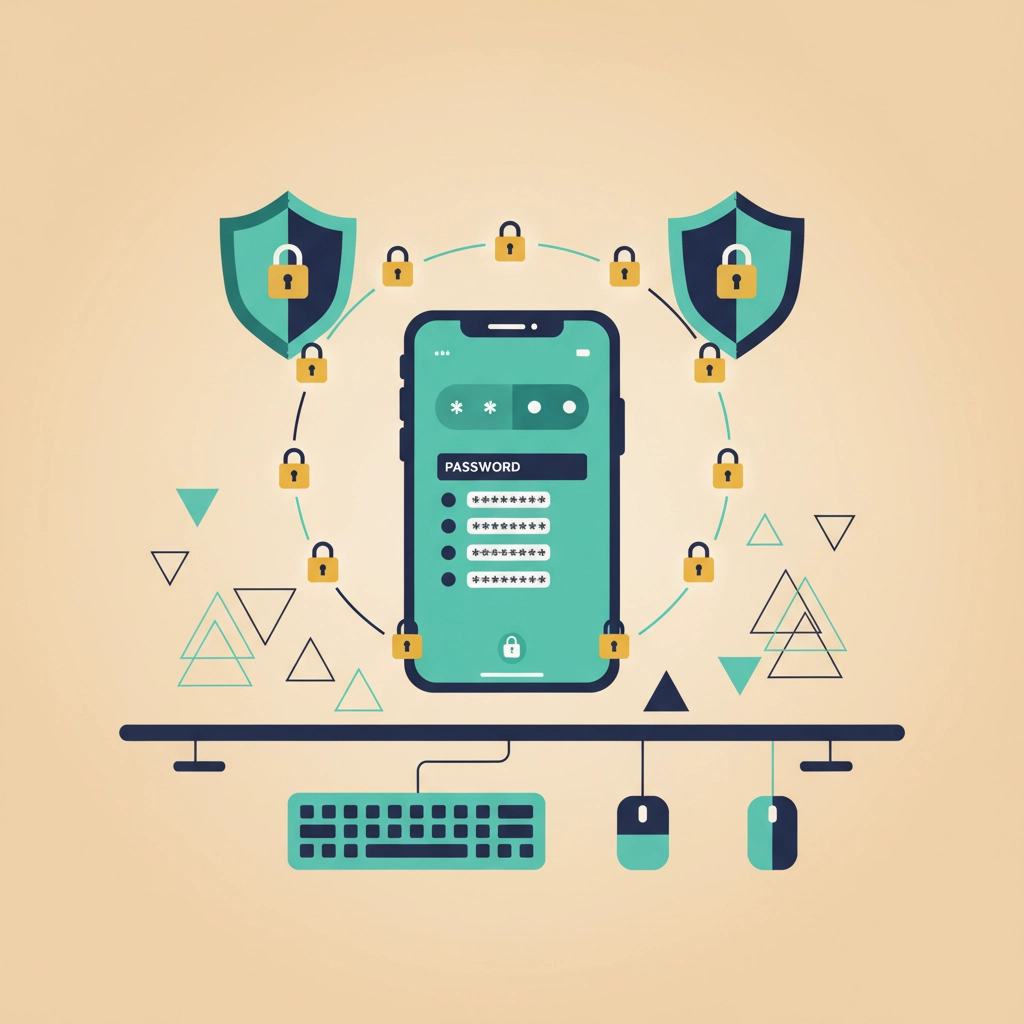
Install a business password manager and require employees to use unique, complex passwords for every account. Strong password management is a fundamental aspect of identity security, helping to protect user accounts from compromise. This eliminates password reuse, a common attack vector, while taking minimal setup time. Most password managers can import existing passwords and generate strong new ones automatically.
4. Secure Your Wireless Network
Configure your wireless access point so it doesn’t broadcast the network name (SSID). Configuring your wireless access point with WPA3 encryption and a strong password are essential security measures that help protect your network from cyber threats. Only authorized users should be able to connect to your wireless network, reducing the risk of unauthorized access. Hidden networks with robust passwords prevent unauthorized access from nearby locations and take just minutes to configure properly. Be cautious when using public Wi-Fi networks, as attackers can intercept communication, allowing eavesdropping or data alteration.
5. Schedule Automated Data Backups
Configure automatic backups of essential business data to secure, separate locations, preferably both cloud and offline storage. Regular backups are a key component of data protection strategies, helping businesses comply with regulations and safeguard information from cyber threats. Regular backups are essential for protecting customer data from loss or ransomware attacks. Regular backups ensure you can recover quickly from ransomware attacks or hardware failures without paying cybercriminals or losing critical information.
Team Training Routines (15-30 minutes monthly)
6. Conduct Monthly Security Awareness Training and Phishing Recognition Sessions
Run brief monthly sessions teaching employees to spot suspicious emails by looking for urgent requests, poor grammar, unexpected communications, and mismatched sender addresses. Phishing attacks often exploit human error, making ongoing training essential. Employees often become the weakest link in cybersecurity due to lack of training, but well-informed teams serve as your first line of defense. Regular training also helps employees adopt and maintain effective cybersecurity practices.
7. Practice Incident Reporting Procedures
Train your team to report suspicious activity immediately and verify any requests for sensitive information through separate communication channels. Prompt reporting of suspicious activity can help prevent a security breach from escalating and causing greater harm. For example, if someone receives an email requesting bank information, they should follow up with a phone call to confirm legitimacy before taking action.
8. Review Safe Browsing and Download Practices
Educate employees on avoiding suspicious downloads and maintaining good internet browsing habits. Unsafe downloads are a primary method for malicious code and harmful software to infect business systems, as these harmful programs are intentionally designed to cause damage, steal information, or give control to attackers. Cover topics like recognizing fake software updates, avoiding suspicious links, and understanding the risks of downloading files from unknown sources.
Weekly Maintenance Routines (10-20 minutes)
9. Review Antivirus Scan Results
Set antivirus software to run comprehensive scans weekly and review the results. Regular antivirus scans are a key part of threat detection, helping to identify and remove malware early. These scans are essential for detecting common cybersecurity threats such as malware, ransomware, and spyware. Install reputable antivirus software on all business computers and keep it updated regularly to catch malware before it spreads throughout your network.
10. Audit User Access Permissions
Check who has access to sensitive data and ensure employees can only access systems appropriate to their job roles. Regular audits help ensure only those with legitimate access can view or modify sensitive data. Excessive or inappropriate access permissions can compromise security by allowing unauthorized users to exploit vulnerabilities. Limiting access based on job requirements reduces the risk of internal breaches and unauthorized data exposure significantly.
11. Verify Backup Completion and Test Recovery
Confirm that your automated backups completed successfully and periodically test restoration to ensure you can actually recover your data when needed. Backups are critical for safeguarding your most valuable data against loss or corruption. Backups are only valuable if they function correctly during an emergency.
12. Monitor Network Activity for Anomalies
Monitoring computer networks for unusual activity is essential for detecting security threats early, such as login attempts at odd hours or access from unfamiliar locations.
Regular monitoring of computer networks is a fundamental aspect of network security, helping to identify and respond to security threats like unauthorized access or unusual behavior.
Many small businesses overlook this simple monitoring that can catch problems early before they become major incidents.
Monthly Security Assessments (20-30 minutes)
13. Update Emergency Response Plan
Review and update your incident response procedures, including contact information and step-by-step actions to take if a breach occurs. A well-defined emergency response plan is a core component of effective security operations, ensuring your organization can detect, investigate, and respond to digital threats efficiently. The average cybercrime breakout time was only 62 minutes in 2023, making a prepared response plan crucial for quick reaction.
14. Remove Inactive Employee Access
Immediately remove access for former employees and review active accounts to ensure no one has excessive permissions. Failing to remove access for former employees increases the risk of insider threats, as these individuals may intentionally or unintentionally misuse their remaining access. Audit all user accounts monthly to prevent unauthorized access from compromised or abandoned credentials.
15. Perform Physical Security Check
Ensure employees lock workstations when away and physically secure sensitive documents and devices. Securing industrial equipment, such as manufacturing or utility devices, is also critical to prevent unauthorized physical access. Securing your physical infrastructure, such as buildings, IoT devices, and network systems, is just as important as digital security in preventing unauthorized access. Train your team never to leave corporate laptops unattended, as physical theft remains a common way cybercriminals access business systems.
When Should a Small Team Seek External Cybersecurity Help?
While many cybersecurity routines can be streamlined in-house, there are pivotal moments when partnering with cybersecurity experts becomes your smartest strategic move. When your team reaches beyond its specialized expertise, faces sophisticated digital challenges, or simply lacks the resources to safeguard against evolving risks, external partnership can transform your security posture entirely. Security analysts play a crucial role in identifying, assessing, and responding to cybersecurity threats for organizations of all sizes.
Cybersecurity partners offer a full range of security solutions, including advanced threat protection, rapid incident response, ongoing security assessments, and managed defense strategies. These experts stay ahead of new threats and help you identify vulnerabilities, put strong protective controls in place, and respond quickly to security incidents. Working with cybersecurity professionals is not reserved for large enterprises. Small teams can achieve strong security outcomes through expert partnership, especially when facing sophisticated attacks or meeting industry compliance requirements.
Understanding when to bring in outside support is a cornerstone of your security strategy. By drawing on the expertise of cybersecurity partners, you can strengthen your defenses, protect your operations from security breaches, and focus on growing your mission with complete confidence.
How Do You Create Sustainable Security Habits?
These routines work together to create multiple layers of protection for your business. Implementing comprehensive cybersecurity measures is essential for reducing risk and enhancing resilience. The key to success lies in consistency rather than perfection, making these practices part of your regular business operations ensures ongoing protection as threats evolve.
Integrating these routines into your daily workflow forms the foundation of a strong security strategy, helping your organization establish a structured approach to managing security risks. This is part of building a security architecture, a unified framework that brings together various security controls and principles. Security controls are essential mechanisms within that architecture that help enforce access management and protect data. Building a culture of security also helps develop a more knowledgeable and resilient team within your organization.
Start by implementing the foundation routines first, as they provide the biggest security impact with minimal effort. Once these become automatic, gradually add the training and maintenance routines. Remember, you don’t need to become a cybersecurity expert overnight, small, consistent actions build powerful protection over time.
Many small teams worry about the time commitment, but these routines actually save time by preventing security incidents that could shut down operations for days or weeks. A proactive approach beats reactive damage control every time.
How Do You Build Long-Term Cyber Resilience?
Consider partnering with experienced IT professionals who understand the unique challenges small teams face. The right technology partner can help automate many of these processes and provide guidance tailored to your specific industry and risk profile. Emerging technologies such as IoT and cloud computing introduce new cybersecurity challenges that require ongoing adaptation.
Ongoing investment in cybersecurity resilience helps your business adapt to new threats and recover quickly from incidents. Organizations must also protect operational technology, which is critical for industries like manufacturing and energy. Safeguarding essential services, such as financial systems and power grids, is vital for business continuity. Healthcare providers and the federal government face unique cybersecurity challenges due to the sensitive nature of the data and services they manage. This ongoing commitment is essential to keep pace with threats as they evolve.
Your business deserves protection that matches your ambitions. These 15 routines provide a solid foundation, but cybersecurity is an ongoing journey rather than a one-time destination. Stay curious, keep learning, and remember that every small step forward strengthens your digital defenses.
Frequently Asked Questions
How often should small teams review their cybersecurity routines?
Review your cybersecurity routines monthly for effectiveness and quarterly for updates. Technology and threats evolve rapidly, so regular assessment ensures your protection stays current and relevant to your business needs.
What’s the most cost-effective cybersecurity investment for small teams?
Password managers and multi-factor authentication provide the highest security return on investment for small teams. These tools prevent the majority of common attacks while requiring minimal ongoing maintenance or technical expertise.
How can small teams stay current with emerging cyber threats?
Subscribe to cybersecurity newsletters from reputable sources, follow cybersecurity organizations on social media, and consider partnering with an IT consulting firm like Scottship Solutions that focuses on small business security. Staying informed helps you adapt your routines proactively.
Should small teams invest in cybersecurity insurance?
Yes, cybersecurity insurance provides crucial financial protection for small teams. While prevention routines reduce risk significantly, insurance covers costs associated with cybersecurity incidents, such as data recovery and legal fees, as well as data breaches, system recovery, and business interruption that could otherwise be financially devastating.
How do we know if our cybersecurity routines are working effectively?
Monitor key indicators like successful backup completions, zero successful phishing attempts, no unauthorized access attempts, and regular software updates across all systems. Consider periodic security assessments to identify any gaps in your protection strategy. Regular information security assessments help ensure both digital and physical information are protected from unauthorized access or alteration.
Why do cybercriminals target small businesses?
Cybercriminals often target small businesses for financial gain. They exploit vulnerabilities in smaller organizations to steal sensitive data, commit fraud, or demand ransom, knowing that small businesses may have fewer security resources and can be lucrative targets for profit.
How can small teams secure their cloud environments?
Small teams should prioritize cloud security by implementing strong policies, using tools like identity and access management (IAM), and regularly monitoring for threats. Adopting a zero trust security approach, where continuous verification and strict access controls are enforced, can further reduce the risk of unauthorized access. Protecting data, applications, and infrastructure in the cloud is essential, especially in multicloud or hybrid environments, to ensure overall security posture.
What steps should we take to secure mobile devices?
To secure mobile devices such as smartphones and tablets, use mobile device management solutions, enforce strong passwords, enable device encryption, and keep software updated. Securing all mobile endpoints is a critical part of your overall cybersecurity strategy to prevent breaches and data loss.
Your Next Steps
Start with the five foundation routines, since they deliver the most protection for the least effort. Once those become second nature, layer in the training, weekly, and monthly habits. Consistency matters more than perfection, and small steps taken every week build real resilience over time.
If you want a partner to help set these routines up and keep them running, Scottship Solutions works with small teams and nonprofits to build practical, budget-aware security. We can help you decide what to fix first and automate the parts that are easy to forget.

Written by
Josh Bass
Cybersecurity Consultant at Scottship Solutions
Josh leads security assessments and compliance audits for mission-driven organizations. He helps nonprofits build defensible security postures, meet HIPAA and state privacy requirements, and respond to threats before they become incidents.
Certifications
CompTIA Security+ Certified
Industries Served
Healthcare & Community Health (HIPAA), Human Services, Child Advocacy, Foundations & Grantmakers