
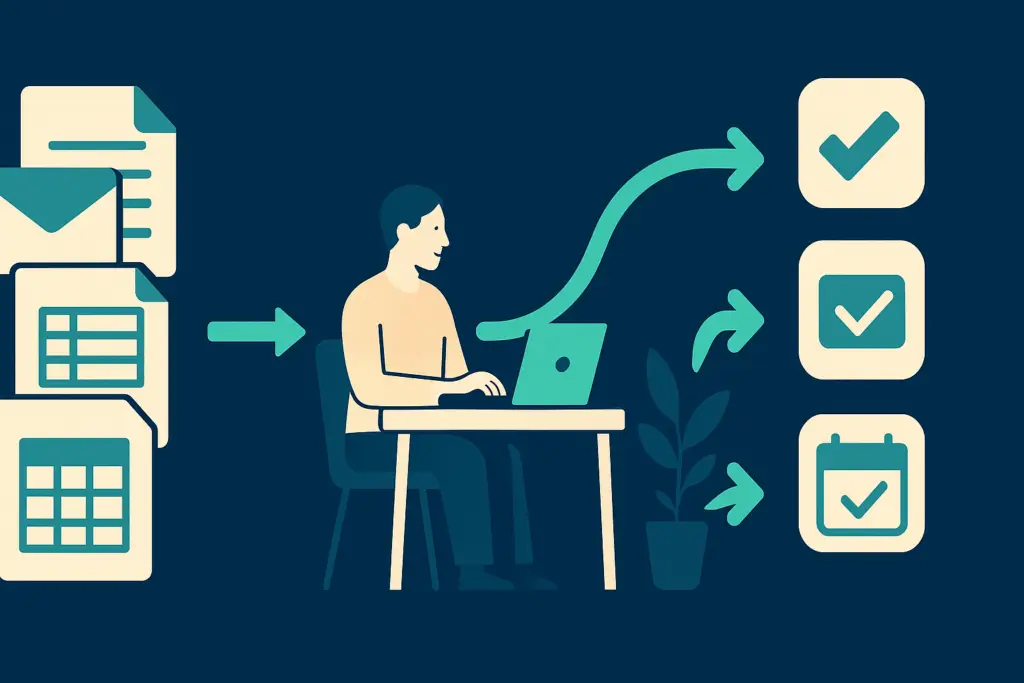
TL;DR: Nonprofits lose hours each week to manual admin work: sending donor acknowledgments, updating spreadsheets, scheduling reports, and tracking grant deadlines. Most of these tasks follow predictable rules and can be automated with tools your organization likely already pays for. Scottship Solutions helps nonprofits identify which workflows have the highest automation potential and builds those automations as part of every AI and automation engagement.
Table of Contents
- Why Does Admin Automation Matter for Nonprofits?
- How Do You Automate Donor Acknowledgment and Follow-Up?
- How Do You Automate Financial Reporting and Reconciliation?
- How Do You Automate Volunteer and Staff Scheduling?
- How Do You Automate Grant Tracking and Deadline Reminders?
- How Do You Automate Board Communication and Document Distribution?
- How Do You Prioritize What to Automate First?
- Frequently Asked Questions
- Your Next Steps
- Sources
Why Does Admin Automation Matter for Nonprofits?
Nonprofit staff spend a disproportionate share of their working hours on administrative tasks that do not directly advance mission delivery. Research published by NTEN consistently identifies administrative burden as one of the primary drivers of staff turnover and burnout at mission-driven organizations. The gap between time available and time spent on programs widens every year as reporting requirements, compliance demands, and donor engagement expectations grow.
The tools to close that gap already exist. Microsoft 365, Google Workspace, Salesforce, Bloomerang, Mailchimp, and most modern CRMs all include automation features in plans nonprofits already pay for. The problem is not access. It is knowing which tasks to automate first and building the automations correctly so they run reliably.
Scottship Solutions works with nonprofits to map their highest-volume administrative workflows and identify what can be automated with existing tools. For a broader overview of automation platforms, see the best nonprofit automation solutions guide and the workflow automation software comparison. This guide focuses on the how: specific tasks, specific approaches, and how to sequence the work.
How Do You Automate Donor Acknowledgment and Follow-Up?
Donor acknowledgment is the highest-volume repeating admin task at most nonprofits. Every gift triggers a thank-you email, a tax receipt, and often a follow-up sequence. Done manually, each acknowledgment takes three to five minutes. At scale, across hundreds of transactions per month, that becomes a significant time sink and a consistent source of errors and delays.
How to automate it
Most donor CRMs, including Bloomerang, Neon CRM, and Salesforce Nonprofit, include built-in acknowledgment automation. Set up a trigger: when a donation is recorded above a defined threshold, the acknowledgment email and tax receipt send automatically. For first-time donors, configure a welcome series of two to three emails over the first 30 days.
For organizations using Mailchimp or Constant Contact, multi-step follow-up sequences can be triggered by donation data passed from your CRM via Zapier. Build the sequence once, test it with a sample donation record, and verify that tax receipts are correctly formatted to meet IRS acknowledgment requirements before switching off manual processing.
According to the Fundraising Effectiveness Project, a joint initiative of the Association of Fundraising Professionals and the Urban Institute, first-time donor retention improves significantly when acknowledgment is sent within 48 hours of the initial gift. Automated acknowledgment removes the human delay from that window entirely.
How Do You Automate Financial Reporting and Reconciliation?
Monthly financial reporting and reconciliation typically involve exporting data from a payment processor or CRM, manually entering it into an accounting platform, and formatting a report for the board or finance committee. Across a year, this represents dozens of hours of staff time on work that is almost entirely rules-based.
How to automate it
Connect your payment processor directly to your accounting platform using a native integration or a connector like Zapier or Make. Stripe, PayPal, and Square all publish native integrations with QuickBooks and Xero. Transactions recorded in the payment processor sync automatically to the correct account in your books, removing manual entry from the process entirely.
For recurring board reports, Google Looker Studio and Microsoft Power BI can connect to your data sources and refresh automatically on a schedule. The report updates itself before each board meeting without staff intervention.
For organizations on Microsoft 365, Power Automate includes pre-built connectors for most accounting and CRM platforms. A basic reconciliation workflow, pulling transaction data from a payment processor and posting it to a QuickBooks account, can typically be configured in under two hours without writing any code. Scottship Solutions builds these workflows as part of the process automation services offered to nonprofit clients.
How Do You Automate Volunteer and Staff Scheduling?
Volunteer and staff scheduling at most nonprofits involves a back-and-forth of emails, a shared spreadsheet that nobody keeps current, and a coordinator spending several hours each week on logistics. This is a well-defined, automatable problem with tools specifically built for it.
How to automate it
Scheduling platforms such as SignUpGenius, Volunteer Hub, and When I Work allow coordinators to post open shifts, send automated confirmation requests, and collect responses without manual follow-up. Most integrate directly with Outlook and Gmail calendars so confirmed shifts appear automatically.
Set up automated reminder sequences: a confirmation email 48 hours before a shift, a reminder 24 hours out, and a follow-up notification for no-shows. These sequences can be built inside most scheduling platforms or assembled in Zapier using Gmail and Google Sheets as the data sources.
For nonprofits that report volunteer hours to funders, connecting your scheduling platform to a check-in app eliminates manual attendance logs and produces accurate hour totals that roll directly into grant reports. This closes the loop between scheduling automation and the grant tracking workflows described in the next section.
How Do You Automate Grant Tracking and Deadline Reminders?
Missed grant deadlines are among the most preventable sources of lost revenue at nonprofits. The typical approach is a spreadsheet of opportunities and due dates that a program officer checks manually, with inconsistent results when staff are stretched thin.
How to automate it
Build a grant tracking database in Airtable or Notion with fields for funder name, deadline, application status, award amount, and reporting requirements. Airtable’s built-in automation can send email or Slack notifications 30 days before each deadline, a follow-up 7 days out, and a reporting reminder 30 days before each grant report is due. The setup takes under an hour and runs without ongoing maintenance.
For organizations with higher grant volume, Salesforce Nonprofit Cloud includes a grants management module that tracks the full grant lifecycle and generates reminders automatically across the team. The Salesforce module also connects award data directly to your financial records, removing manual data entry from the reconciliation step described above.
The key discipline is maintaining the database consistently. Automation handles the reminders and follow-ups once the data is current. Set aside 15 minutes each week to update statuses, and the system does the rest.
How Do You Automate Board Communication and Document Distribution?
Board meeting preparation typically involves collecting reports from multiple staff members, formatting an agenda, compiling a board packet, and emailing it to every board member. Done manually before each meeting, this process represents two to four hours of staff time per month on work that is almost entirely formatting and distribution.
How to automate it
Store all board documents in a shared folder using SharePoint or Google Drive with a consistent naming convention tied to the meeting date. Use a board management platform such as BoardEffect, OnBoard, or Boardable to distribute packets automatically on a scheduled date before each meeting.
For smaller organizations, a Microsoft Power Automate or Zapier flow can monitor a shared folder, compile documents added since the last meeting cycle, and email a digest to the board distribution list on a set schedule. This removes the manual step of remembering to send the packet.
Set up a standard meeting agenda template that populates from a shared data source such as a Google Sheet or Airtable base. When staff add agenda items during the month, the template pulls them in automatically. The time to produce each agenda drops from 30 to 45 minutes to under five minutes. Scottship Solutions includes board communication workflow setup in every nonprofit AI and automation engagement.
How Do You Prioritize What to Automate First?
The most common mistake when starting automation is trying to build too many workflows at once. The right approach is to prioritize by two criteria: task volume and error cost.
Task volume is how often the task happens. A task that occurs 50 times per week is a better automation candidate than one that occurs twice a month, even if the monthly task takes longer. High volume means more cumulative time saved and more opportunities for errors that automation eliminates.
Error cost is what happens when the task is done wrong or not at all. A missed donor acknowledgment damages a relationship. A reconciliation error creates accounting problems. A missed grant deadline is a direct revenue loss. High error-cost tasks are worth automating even at relatively low volume because the downside of failure is significant.
Start with one automation. Get it running correctly, test it with a sample dataset, and monitor it for two weeks before building the next one. A single working automation that saves three hours per week is more valuable than five half-built automations that nobody fully trusts.
For help selecting the right tools to power your automations, see the best nonprofit automation solutions and the workflow automation software guide for nonprofits.
Frequently Asked Questions
What nonprofit administrative tasks can be automated?
Donor acknowledgments, tax receipts, financial reconciliation, volunteer scheduling, grant deadline reminders, and board report distribution can all be automated. The common thread is that each task follows predictable rules: when a donation is recorded, send an acknowledgment; when a deadline is 30 days out, send a reminder. Most nonprofits already have access to tools that can handle these workflows through their existing CRM, accounting platform, or Microsoft 365 or Google Workspace subscription.
What tools do nonprofits use to automate admin tasks?
The most commonly used tools are Zapier and Make for connecting apps without writing code, Microsoft Power Automate for organizations on Microsoft 365, and built-in automation features within platforms like Salesforce Nonprofit, Bloomerang, Neon CRM, and Mailchimp. Airtable includes automation for database-driven workflows like grant tracking. Most of these tools are available at no cost or at a significant nonprofit discount through TechSoup.
How long does it take to set up a nonprofit admin automation?
Most simple automations, such as donor acknowledgment emails or grant deadline reminders, can be configured in one to three hours using a platform like Zapier or Airtable. More complex workflows that connect multiple systems, such as syncing a payment processor with an accounting platform and triggering a board report update, typically take one to two days to build, test thoroughly, and confirm are running correctly.
Do nonprofits need a technical staff member to implement automation?
Not for most common workflows. Platforms like Zapier, Airtable, and Make are designed for non-technical users and include templates for the most common nonprofit automation scenarios. For more complex automations involving custom code, API connections, or sensitive data such as donor payment information, working with a technical partner reduces the risk of errors. Scottship Solutions builds automations for nonprofits as part of every AI and automation engagement.
What are the risks of automating nonprofit admin tasks?
The main risks are automations that run on incorrect logic, systems that break when a connected platform updates, and over-automation that removes human review from decisions that warrant it. Mitigate these risks by testing every automation with a sample dataset before going live, monitoring it for the first two weeks after launch, and building in a human review step for any workflow that affects donor communications or financial records.
Can automation work with the software our nonprofit already uses?
In most cases, yes. Zapier and Make support thousands of app integrations, and most major nonprofit platforms, including Salesforce, Bloomerang, QuickBooks, Mailchimp, and Google Workspace, publish open APIs or have native connectors. The starting point is a simple audit: list the tools you currently use and check which pairs you need to connect. Scottship Solutions performs this audit as part of every automation engagement to confirm what is possible before building anything.
Your Next Steps
- Map your three highest-volume admin tasks this week. Note how often each occurs and who currently handles it.
- Check whether your existing CRM, email platform, or Microsoft 365 or Google Workspace subscription already includes automation features you have not configured.
- Pick one task and build a single automation. Donor acknowledgments or grant deadline reminders are the best starting points. Get it running correctly and stable before adding more.
- Review the best nonprofit automation solutions guide and the workflow automation software comparison to confirm your current tools can support the workflows you want to build.
- Contact Scottship Solutions to map your highest-value automation opportunities and get a structured engagement built around your existing stack.
Sources
- NTEN (Nonprofit Technology Enterprise Network). Nonprofit technology resources and research. nten.org
- Association of Fundraising Professionals and the Urban Institute. Fundraising Effectiveness Project. afpglobal.org/fundraisingeffectiveness
- Airtable. Automation documentation. airtable.com/guides/automate
- TechSoup. Technology discounts for nonprofits. techsoup.org
- Microsoft. Power Automate for nonprofits. microsoft.com/en-us/power-platform
Work With Scottship
Scottship Solutions helps nonprofits identify, build, and maintain the automations that free staff from repetitive administrative work. Every engagement starts with a workflow mapping session to identify which tasks carry the highest automation potential for your specific organization, followed by hands-on build-out of the automations inside your existing tools. Whether you are starting with one workflow or building out a complete admin automation stack, the right starting point is a conversation about where your staff spends its time today. Contact us to get started.

Written by
Isabela Guimaraes
AI Consultant at Scottship Solutions
Isabela helps nonprofits and small businesses implement practical AI and automation solutions. She translates emerging AI capabilities into workflows that save time and expand mission impact.
Certifications
AWS Certified AI Practitioner • AWS Certified Cloud Practitioner • Google Cloud Generative AI Leader
Industries Served
Human Services, Healthcare & Community Health, Education & Youth Development, Child Advocacy