
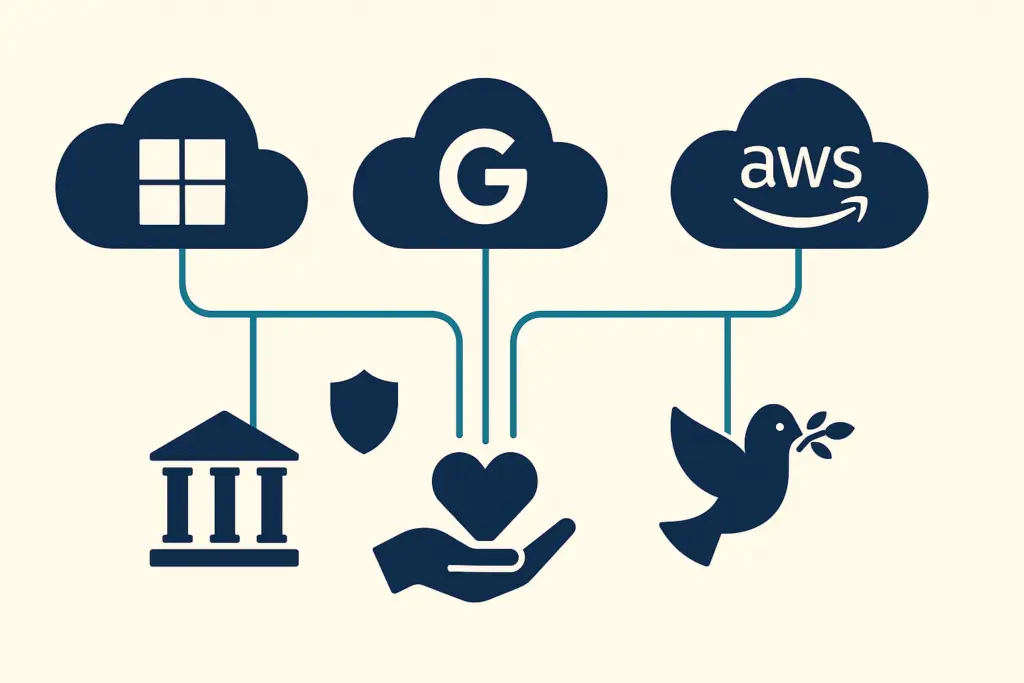
Which cloud hosting is best for a nonprofit?
For most nonprofits, the best cloud hosting is Microsoft 365 or Google Workspace, both free for verified nonprofits, paired with a cloud CRM and dedicated backup. Choose Microsoft if your staff rely on Outlook, Excel, and Windows devices. Choose Google if they work in a browser or on Chromebooks. Backup adds $2 to $5 per user each month. A complete stack of productivity platform, CRM, and backup typically runs $500 to $1,500 a month for organizations with 10 to 75 staff.
What You’ll Learn
- Why Do Cloud Services Matter for Nonprofits?
- What Does Microsoft 365 for Nonprofits Include Free?
- What Does Google Workspace for Nonprofits Include Free?
- Which Cloud CRM and Fundraising Platforms Work Best for Nonprofits?
- Why Do Nonprofits Need Cloud Backup and Storage?
- Do Nonprofits Need AWS and Azure?
- How Do You Choose the Right Cloud Setup?
- Frequently Asked Questions
- Your Next Steps
- Sources
Need this stack chosen and set up rather than compared? Cloud services from Scottship for nonprofits cover the platform choice, the nonprofit licensing, and the migration. Tell us what you run today.
Why Do Cloud Services Matter for Nonprofits?
Cloud services reduce the cost, complexity, and risk of running technology for nonprofits in three concrete ways.
Cost reduction. Running on-premises servers requires capital investment, ongoing maintenance, physical security, and eventual replacement. Cloud services eliminate the hardware layer entirely. For nonprofits that qualify for Microsoft and Google nonprofit programs, core productivity infrastructure is free, eliminating a line item that previously cost $5,000 to $15,000/year for comparable capability.
Remote and hybrid work support. Post-2020, nonprofit operations are permanently more distributed, staff work from home, partner organizations, and multiple locations. Cloud services are the only infrastructure model that supports this without per-location hardware investments. Microsoft 365 and Google Workspace are designed for distributed access from any device, anywhere.
Security improvement. Enterprise cloud platforms invest in security infrastructure that no small nonprofit could replicate with on-premises servers. Microsoft 365 and Google Workspace both provide encryption at rest and in transit, automated threat detection, multi-factor authentication, and compliance certifications (SOC 2, ISO 27001, HIPAA BAA availability) that exceed what most nonprofits can achieve independently.
A 2024 Salesforce Nonprofit Trends Report found that nonprofits using cloud-based infrastructure report 20 to 30% lower IT costs and significantly higher staff productivity compared to those still running on-premises or hybrid environments. The cloud transition is not optional for organizations that want to remain competitive for talent and efficient in operations.
Scottship’s cloud services for nonprofits covers this whole layer, from the day to day support queue up to the architecture decisions sitting underneath it.
What Does Microsoft 365 for Nonprofits Include Free?
Microsoft for Nonprofits provides Microsoft 365 Business Basic at no cost for up to 10 licenses for qualifying nonprofits, with additional licenses at $3/user/month (vs. $6/user/month standard). Organizations with up to 300 eligible users can access this program after verification through the nonprofit portal.
What M365 Business Basic includes for nonprofits:
- Exchange/Outlook: professional email with custom domain (@yourorg.org)
- Microsoft Teams: video calls, chat, and channel collaboration
- SharePoint: document management and intranet
- OneDrive: 1 TB cloud storage per user
- Microsoft Forms: surveys and data collection
- Basic Power Automate: workflow automation
Upgrading to M365 Business Premium (at reduced nonprofit pricing) adds Microsoft Defender for Endpoint, Intune device management, Azure AD Premium, and advanced security features, making it the most cost-effective security upgrade available to nonprofits.
Best for: Nonprofits that use Windows computers, need Outlook specifically, or want to build automation and reporting on Power Automate and the Microsoft Power Platform ecosystem.
What Does Google Workspace for Nonprofits Include Free?
Google for Nonprofits provides Google Workspace Business Starter at no cost for verified nonprofits. Unlike Microsoft’s cap, Google does not limit the number of eligible users, making it particularly attractive for larger organizations.
What Google Workspace for Nonprofits includes:
- Gmail: professional email with custom domain
- Google Drive: 30 GB cloud storage per user
- Google Docs, Sheets, Slides: collaborative document creation
- Google Meet: video calls
- Google Calendar: shared calendaring
- Google Forms: surveys and data collection
Google also offers nonprofit discounts on Google Workspace Business Standard (including additional storage and security features) and provides Google Ad Grants, $10,000/month in free Google Search advertising, as part of the Google for Nonprofits package.
Best for: Nonprofits that prefer browser-based workflows, use Chromebooks or mixed device environments, or want simpler IT administration than Microsoft’s platform requires. Also the better choice for organizations that want Google Ad Grants as part of their digital marketing strategy.
Which Cloud CRM and Fundraising Platforms Work Best for Nonprofits?
Your donor CRM is the most critical cloud platform a nonprofit operates. The three most widely used cloud CRMs for nonprofits:
Salesforce Nonprofit Success Pack (NPSP) / Salesforce Nonprofit Cloud: The most customizable nonprofit CRM, with 10 free licenses available through the Power of Us program. Best for larger organizations with complex reporting, program tracking, and development staff who will use advanced features. Requires significant implementation investment to configure properly, budget $10,000 to $30,000+ for a well-executed implementation.
Bloomerang: Purpose-built for donor retention, with the industry’s highest retention-focused feature set. Starts at $119/month for up to 1,000 donor records with unlimited users. Faster to implement than Salesforce (5 to 8 weeks typical). Best for mid-size nonprofits prioritizing major gift cultivation and recurring giving. Scottship Solutions is a Bloomerang implementation partner.
DonorPerfect: Strong for nonprofits with significant event fundraising and grant tracking needs alongside donor management. Pricing starts around $99/month. Good middle ground between Bloomerang’s simplicity and Salesforce’s complexity.
Why Do Nonprofits Need Cloud Backup and Storage?
Cloud backup is the most overlooked component of a nonprofit’s cloud infrastructure, and the one that matters most when something goes wrong. Important: files stored in Microsoft 365 or Google Workspace are not automatically backed up in the traditional sense. Microsoft and Google protect against service outages; they do not protect against a staff member deleting files, a ransomware attack encrypting your data, or accidental data loss during a migration.
Dedicated cloud backup for M365 and Google Workspace costs $2 to $5/user/month through services like Veeam, Acronis, or Datto SaaS Protection. For a 20-person nonprofit, that is $40 to $100/month for point-in-time recovery of email, files, and Teams data, the equivalent of insurance against data loss events that cost orders of magnitude more to recover from without it.
Do Nonprofits Need AWS and Azure?
Amazon Web Services (AWS) and Microsoft Azure are infrastructure cloud platforms primarily relevant to nonprofits that run custom applications, need database hosting, or have development teams building technology solutions.
AWS offers nonprofits up to $2,000/year in credits through the AWS Nonprofit Credit Program. Azure is available at significant nonprofit discounts and is particularly well-integrated with Microsoft 365 for organizations already in the Microsoft ecosystem. Azure Active Directory (now Entra ID) is the identity and access management layer that connects M365 to custom applications.
For nonprofits without a development team or custom applications, AWS and Azure are unnecessary complexity. The productivity platforms (M365 or Google Workspace) plus a cloud CRM and dedicated backup cover the needs of 90%+ of nonprofits in the 10 to 75 staff range without requiring infrastructure management expertise.
How Do You Choose the Right Cloud Setup?
The decision framework is simple:
Step 1: Choose your productivity platform. Microsoft 365 or Google Workspace, pick based on staff preference, device environment, and whether Outlook/Excel vs. Gmail/Sheets better fits your workflows. Both are free for nonprofits. Do not run both simultaneously unless you have a specific reason.
Step 2: Choose your CRM. For organizations under 75 staff focused on individual donors: Bloomerang. For organizations with complex program reporting and development staff: Salesforce NPSP. For organizations with significant event fundraising: DonorPerfect. Get an independent assessment before purchasing, CRM migrations are expensive and implementation failures are common.
Step 3: Add cloud backup. $2 to $5/user/month to ensure your M365 or Google Workspace data is recoverable. Non-negotiable for any organization that could not function without its email and files.
Step 4: Evaluate specialty tools. Cloud storage (Dropbox Business, available discounted via TechSoup), project management (Monday.com, Asana, both with nonprofit pricing), finance (QuickBooks Online for nonprofits, Sage Intacct for larger organizations) based on specific needs.
Scottship Solutions manages cloud infrastructure for nonprofits as part of managed IT engagements, including initial assessment, migration planning, and ongoing cloud administration. If you are unsure which combination of cloud services fits your organization, start with a technology audit that maps your current tools and recommends a target cloud configuration.
Related guides: cloud services for nonprofits and cloud migration for nonprofits.
Frequently Asked Questions
What cloud services does a nonprofit need?
Most nonprofits need three categories of cloud services: productivity and collaboration (Microsoft 365 or Google Workspace for email, documents, and video calls), storage and backup (cloud backup for donor data and financial records), and a cloud-hosted CRM or fundraising platform (Salesforce NPSP, Bloomerang, or similar). Organizations with development teams may also need application hosting (AWS or Azure). The right combination depends on staff size, program complexity, and what existing tools the organization uses. Scottship Solutions provides cloud assessments that map current tools to recommended cloud configurations.
Should a nonprofit choose Microsoft 365 or Google Workspace?
Both are free or near-free for nonprofits. Microsoft 365 Business Basic is available free for up to 300 staff via Microsoft for Nonprofits, and includes Outlook, Teams, SharePoint, and OneDrive. Google Workspace for Nonprofits (Business Starter tier) is free for verified organizations and includes Gmail, Drive, Meet, and Docs. Microsoft is the better choice for organizations that need Outlook and Excel specifically, manage Windows devices, or use other Microsoft tools (Azure, Power Platform). Google Workspace is better for nonprofits that prefer browser-based workflows, use Chromebooks, or want simpler administration. The decision is rarely technical, it is usually based on staff familiarity.
Does AWS offer discounts for nonprofits?
Yes. AWS offers nonprofits up to $2,000/year in credits through the AWS Nonprofit Credit Program, with additional credits available through AWS Impact Accelerator for qualifying organizations. AWS also offers discounts for nonprofits via TechSoup on select services. However, AWS is a developer-oriented platform that requires technical expertise to manage, most nonprofits without an IT team should not attempt to run their own AWS infrastructure without managed support. For most nonprofits, the better approach is using Microsoft 365 or Google Workspace (both simpler and free at nonprofit pricing) rather than self-managing AWS infrastructure.
How do nonprofits keep cloud data secure?
Cloud security for nonprofits comes down to four controls: multi-factor authentication on all cloud accounts (prevents 99%+ of credential-based attacks), access controls ensuring staff only access data they need for their role, encrypted backup stored in a separate cloud account from the primary systems, and a documented offboarding process that revokes access the day a staff member leaves. All three major platforms (Microsoft 365, Google Workspace, AWS) include robust security tools, the gap for most nonprofits is not tool capability but consistent configuration and enforcement of these controls.
How much does cloud infrastructure cost for a small nonprofit?
For most small nonprofits (10 to 75 staff), core cloud infrastructure costs $0 to $15/user/month because both Microsoft 365 and Google Workspace are free or deeply discounted for verified nonprofits. A 25-person nonprofit using Microsoft 365 Business Basic (free) plus Bloomerang at $399/month spends roughly $400 to $500/month on its core cloud stack. Cloud backup adds $50 to $150/month depending on data volume. The total for a well-architected nonprofit cloud environment, productivity platform, CRM, backup, typically runs $500 to $1,500/month for organizations in the 10 to 75 staff range.
Your Next Steps
- Verify your nonprofit status with Microsoft and Google. If you have not already, register at Microsoft for Nonprofits and Google for Nonprofits. This is the highest-ROI administrative task in nonprofit IT, it unlocks free software worth thousands annually.
- Audit your current cloud spend. List every cloud subscription your organization pays for: what it costs, how many staff use it, and whether you have an alternative included in M365 or Google Workspace. Redundant subscriptions are common.
- Assess your backup status. Can you recover your email, SharePoint/Drive files, and CRM data if they were deleted or corrupted today? If not, add cloud backup before any other cloud investment.
- Choose your CRM path. If your nonprofit is using a CRM that no longer fits (or no CRM at all), get an independent assessment before choosing a replacement. The vendor who sells you the CRM has a conflict of interest in recommending it.
- Request a free cloud assessment from Scottship Solutions, we will review your current cloud infrastructure, identify cost savings and security gaps, and recommend a target architecture your team can implement and manage.
Infrastructure problems are rarely one broken thing. They are usually a stack that grew one urgent decision at a time, and The nonprofit cloud practice at Scottship covers both the daily support and the architecture choices underneath it. To get a written view of what to fix first, send over what your cloud stack looks like today.
Sources
- Salesforce.org, Nonprofit Trends Report, 5th Edition (2024)
- Microsoft, Microsoft for Nonprofits: eligibility and pricing
- Google for Nonprofits, Google Workspace for Nonprofits program details
- TechSoup, Nonprofit technology discounts including Dropbox, AWS, Adobe
- AWS, AWS for Nonprofits: credits and program details

Written by
Josh Bass
Cybersecurity Consultant at Scottship Solutions
Josh leads security assessments and compliance audits for mission-driven organizations. He helps nonprofits build defensible security postures, meet HIPAA and state privacy requirements, and respond to threats before they become incidents.
Certifications
CompTIA Security+ Certified
Industries Served
Healthcare & Community Health (HIPAA), Human Services, Child Advocacy, Foundations & Grantmakers