
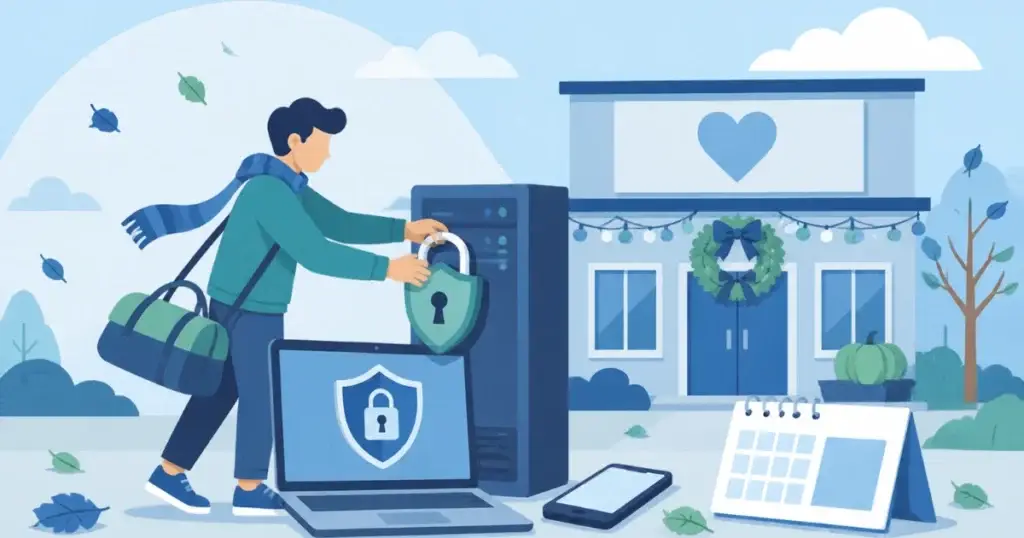
- Why does ransomware risk go up over the holidays?
- What does the SafePay advisory tell nonprofits to check first?
- What should a nonprofit do before the holidays to prevent ransomware?
- What can wait until after the break?
- Who answers the phone if your only IT person is out for the holidays?
- Sources and further reading
- Who can check your remote access and backups before Thanksgiving?
The SafePay advisory reports “at least 600 separate victims from multiple critical infrastructure sectors”, but it does not name nonprofits or holidays. The holiday link comes from CISA and FBI’s 2021 holiday advisory (AA21-243A, August 31, 2021) on on-call staff, backup schedules and MFA for remote access.
This checklist is current as of November 13, 2026, and it was written by Will Facques, Senior IT Consultant at Scottship Solutions, who holds PMP, Lean Six Sigma Yellow Belt and CompTIA Network+ credentials. Thanksgiving is Thursday, November 26, so every item below is sized for a few days of work, not a project.
Want a second set of eyes on remote access and backups before the break? Scottship’s tech stack audit lists the systems and accounts you run today. Tell us how your remote access and backups are set up today.
Why does ransomware risk go up over the holidays?
Holiday cybersecurity for nonprofits starts with an honest reading of the evidence. The main CISA and FBI holiday guidance we found is advisory AA21-243A, first published August 31, 2021 and last revised February 10, 2022. In 2021, the agencies wrote that they “have observed an increase in highly impactful ransomware attacks occurring on holidays and weekends”. The advisory advises keeping on-call IT security staff, reviewing the backup schedule and requiring MFA for remote access.
AA21-243A describes two dated cases. In May 2021, DarkSide ransomware hit an energy sector entity leading into Mother’s Day weekend, widely reported as Colonial Pipeline. In July 2021, REvil ransomware reached hundreds of organizations through a remote management tool during the Fourth of July holiday weekend, widely reported as Kaseya.
The reasoning is simple: fewer people are watching, and a slow response gives an attacker more time. Thanksgiving ransomware prevention is worth a few days of work, because a thin roster turns a small opening into a long one. Holiday attacks use the same openings as any other attack, and the SafePay advisory itself is not holiday specific.
What does the SafePay advisory tell nonprofits to check first?
The advisory is AA26-293A, released October 20, 2026 by CISA, the FBI and partners. It describes SafePay ransomware as active since August 2024 and reports “at least 600 separate victims from multiple critical infrastructure sectors”. The advisory does not name nonprofits and is not specific to holidays, so read it as a list of openings, not a forecast.
The advisory lists how SafePay gets in: stolen or guessed credentials, brute force attempts, VPN access, phishing and vulnerabilities in edge devices. The advisory does not name device types. In practice for a nonprofit, edge devices means the firewall and VPN appliance that sit between the office network and the internet. Those devices rarely get attention until something breaks.
Its mitigations map directly to a pre-break checklist. They include patching known exploited vulnerabilities on internet-facing systems, requiring MFA, keeping offline and immutable backups with tested restores, auditing admin accounts and segmenting the network. The first four fit into a few days. Segmentation does not, and the next sections say so.
What should a nonprofit do before the holidays to prevent ransomware?
Use this ransomware prevention checklist for nonprofits before the break. Each row ties to an entry point in the SafePay advisory, and each has a finish line you can check without a technical background.
| Action | Why (advisory entry point) | Done when |
|---|---|---|
| Post an on-call and who to call sheet with a named backup for each role | A slow response gives an attacker time, and AA21-243A (2021) advises on-call IT security staff | Every person on the sheet has confirmed they will answer, and the sheet is printed and shared |
| Turn on MFA for remote access and every admin account | Stolen or guessed credentials and VPN access | No admin or remote login works with a password alone |
| Patch the VPN, firewall and other internet-facing devices, and check them against the CVE list on the advisory page | Vulnerabilities in edge devices | Each device runs the vendor’s current fixed release, and none of the CVEs listed on the advisory page is left unpatched |
| Confirm one real restore from an offline or immutable backup | Offline and immutable backups with tested restores | Someone has restored a real file from that backup and opened it |
| Disable stale accounts and review who holds admin rights | Stolen credentials and the advisory’s admin account audit | Former staff, old vendors and unused accounts are disabled, and every admin has a current reason to be one |
The who to call sheet deserves its own attention, because it is the item people skip. Put these contacts on it, in the order someone should dial them:
- The IT lead and a named backup.
- The outside IT provider, if the organization has one.
- The cyber insurer hotline, if the organization has a policy.
- The executive director as decision maker.
- A board contact.
- The FBI IC3 and CISA reporting channels, starting from the CISA StopRansomware hub.
What can wait until after the break?
Several worthwhile controls cannot be done honestly in a few days. Network segmentation, a full identity and access policy, disabling command line and scripting permissions as the advisory recommends, a full restore drill and a phishing training refresh all belong on a “schedule it” list. Plan one pass before the year-end break and a second in January.
Winter break is the next long stretch with thin staffing, so the year-end pass matters as much as this one. Start from MFA, which our guide to nonprofit cybersecurity basics covers in full. For restore detail, see our comparison of backup versus disaster recovery.
Who answers the phone if your only IT person is out for the holidays?
A nonprofit with one IT person, or none, needs a skeleton crew plan written down. Decide four things before the break: who makes decisions, who is reachable, who can approve disconnecting a system from the network, and what the sheet says at 2 a.m. on December 26. The executive director holds the decision, so that person needs the sheet most.
A small team cannot match round-the-clock monitoring, and no checklist changes that. An outside provider can cover patch checks, MFA enforcement and backup verification before the break. The nonprofit still owns the decision to disconnect a system and the call to the insurer.
If an attack happens anyway, here is what recovery looks like after an attack.
Frequently Asked Questions
Why do ransomware attacks spike over the holidays?
CISA and FBI advisory AA21-243A, from 2021, says the agencies “have observed an increase in highly impactful ransomware attacks occurring on holidays and weekends”. It advises on-call IT security staff, a review of the backup schedule and MFA for remote access. The current SafePay advisory is not holiday specific, and we do not repeat vendor spike statistics here.
Are nonprofits targeted by ransomware during Thanksgiving and year-end?
The SafePay advisory names critical infrastructure sectors and does not name nonprofits. The exposure for a nonprofit is the same set of openings any organization with remote access has: weak or stolen passwords, exposed remote access and, in practice, unpatched VPNs and firewalls. A holiday roster makes those openings last longer.
What is the SafePay ransomware group and should nonprofits worry?
SafePay is a ransomware operation that CISA, the FBI and partners described in advisory AA26-293A on October 20, 2026, reporting “at least 600 separate victims from multiple critical infrastructure sectors”. It gets in through stolen or guessed credentials, brute force, VPN access, phishing and edge device vulnerabilities. Nonprofits should worry about those openings, whoever the attacker is, and close them with the checklist above.
Who offers managed cybersecurity for nonprofits?
Nonprofit-focused IT firms such as Community IT Innovators offer it, and so does Scottship Solutions, which works with small to midsize nonprofits on remote access, backups and security. For ransomware protection for nonprofits, Scottship reviews the openings in this post with your team. See our cybersecurity support for nonprofits page for the details.
Sources and further reading
- CISA, FBI and partners, advisory AA26-293A on SafePay ransomware: initial access methods, mitigations and the figure of at least 600 separate victims, released October 20, 2026
- CISA and FBI, advisory AA21-243A (2021): holiday and weekend ransomware observations, the May 2021 and July 2021 holiday weekend cases, and guidance on on-call staff, backup schedules and MFA for remote access, first published August 31, 2021 and revised February 10, 2022
- CISA, #StopRansomware resources and reporting channels
Who can check your remote access and backups before Thanksgiving?
Scottship Solutions can review remote access, admin accounts and backups with your team and tell you which of the five checks are already done. If you want a second set of eyes before the break, we can walk you through it.
Our nonprofit tech audit lists the systems and accounts you run today, so gaps show up before an attacker finds them. Send us your IT contacts and the systems you rely on over the holidays.

Written by
Will Facques
Senior IT Consultant at Scottship Solutions
Will works directly with nonprofit and small business clients on infrastructure, managed services, and technology implementations. He translates complex technical requirements into practical solutions that actually get done.
Certifications
PMP (Project Management Professional) • Lean Six Sigma Yellow Belt • CompTIA Network+
Industries Served
Human Services, Healthcare & Community Health, Education & Youth Development, Faith-Based, Child Advocacy, Arts & Culture