
- What is the best way to clean up a donor database before year-end giving?
- When should year-end donor data cleanup happen, and what is the cutoff?
- Which systems write to the donor record, and where does bad data enter?
- How do you find and merge duplicate donor records safely?
- How do households, soft credits, and appeal codes affect year-end statements?
- What should you check on gift dates and quid pro quo amounts around December 31?
- How do you update donor addresses before statements go out?
- What does year-end donor data cleanup cost?
- Should donor data cleanup happen once a year or all year?
- What goes on a year-end donor data cleanup checklist?
- Sources and further reading
- When should you bring in IT or a fractional CIO?
Many errors in January giving statements enter upstream of the CRM, at the giving form, the payment processor, the event tool, and the accounting sync. A technology assessment, such as a nonprofit tech stack audit, can show which of those systems write to the donor record.
The fix is a December sequence: back up the data, audit it, merge duplicates, fix households, soft credits, and coding, update addresses, then reconcile gift dates after December 31 before statements go out. The approach is platform neutral and applies in Salesforce NPSP, Bloomerang, Raiser’s Edge, DonorPerfect, and Little Green Light.
Scottship Solutions advises small to midsize nonprofits on their technology and offers a Tech Stack Audit as a technology assessment. Scottship does not publish tier prices for this work; scope depends on record count, source systems, and integrations, and quotes are set after discovery. Scottship’s technology assessment work is overseen by Luiza Vilardo, Director of Consulting.
Want an outside view of your donor data setup? See the tech stack audit, a technology assessment Scottship runs for small to midsize nonprofits. Tell us which giving tools and CRM you use.
What is the best way to clean up a donor database before year-end giving?
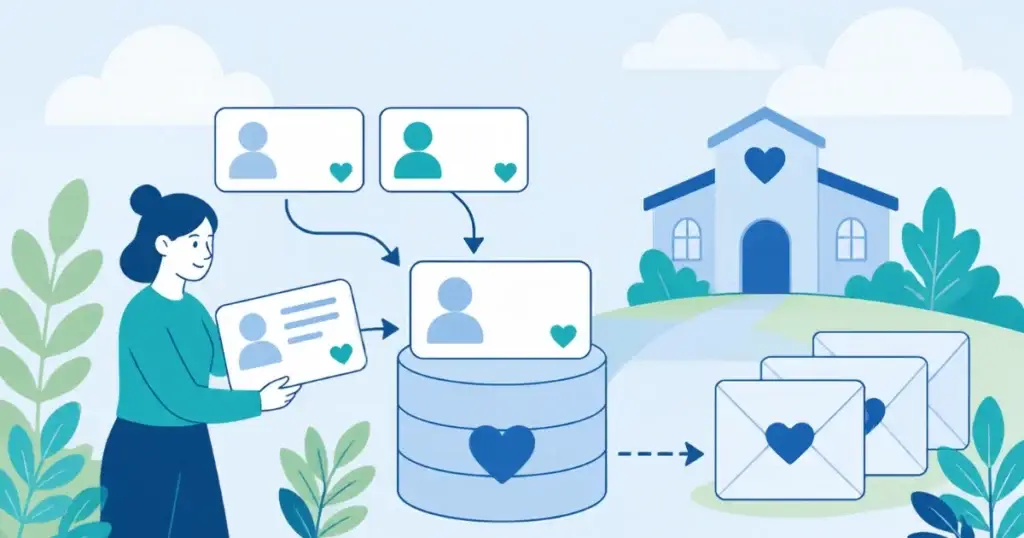
Donor database cleanup, also called donor data hygiene, works best as a fixed sequence: freeze bulk imports and field changes, back up the database, audit it, merge duplicates, fix households, soft credits, and coding, update addresses, reconcile gift dates after December 31, and only then generate statements. Each step protects the next. A backup is the dependable way back from a bad merge, and a statement run on unreconciled gifts reaches donors wrong.
The sequence is a stack-level review because the CRM is often where errors show up, not where they start. A giving form can create a second record on a repeat submission. A sync can stamp a gift with the import date instead of the charge date. Cleaning the CRM without checking those sources fixes the symptom and leaves the cause running through January.
When should year-end donor data cleanup happen, and what is the cutoff?
Year-end donor data cleanup in 2026 runs in four windows. A dated sequence keeps the work from colliding with the December giving rush, and the windows below assume a calendar-year statement run in January.
- Late November or early December: back up the database and audit every system that writes to it.
- Through mid-December: merge duplicates, fix households, soft credits, and appeal codes, and update addresses.
- After December 31: lock the year’s gift records and reconcile gift dates and quid pro quo amounts against bank and processor records.
- By January 31: send statements. Many nonprofits treat January 31 as the working deadline.
January 31 is common practice, not an IRS deadline. The IRS rule on when a donor needs the acknowledgment is in the gift-date section below. For giving-day receipts and receipt testing, Scottship’s Giving Tuesday tech checklist covers that ground, so this guide leaves it alone.
Which systems write to the donor record, and where does bad data enter?
A donor data audit starts with a list of every system that creates or edits a gift or a contact. CRM data cleanup alone treats the symptom, because the record the CRM holds was written by another tool first. For the wider strategy of turning messy data into usable reporting, our nonprofit data management strategy post covers it.
| System | What it writes | Common error | How to check |
|---|---|---|---|
| Giving form | New contact and gift | A repeat donor submits twice and creates a second contact | Sort new contacts by email address and look for repeats |
| Payment processor | Charge, amount, fee, and date | Gift date set by sync time instead of charge time | Compare a sample of processor charge dates to the CRM gift dates |
| CRM | Households, soft credits, fund and appeal codes | Missing or retired appeal code | Run a gift report with a blank appeal or fund filter |
| Email platform | Email address, opt-out, and bounce status | An updated email in the newsletter tool never reaches the CRM | Compare an email list export to the CRM email field |
| Event or ticketing tool | Attendee, ticket purchase, auction bid | Full ticket price recorded as a gift with no quid pro quo value | Compare ticket revenue to gift records and the fair market value field |
| Accounting sync | Batch totals and deposits | Batch posted on the deposit date instead of the gift date | Reconcile December batch totals to bank deposits |
Consider an illustrative scenario, not a client: the same donor buys a gala ticket through an event tool and later gives online through a web form. Each tool creates its own contact, the CRM holds two records, and the January statement lists only half the giving. Tracing that one donor from form to statement shows where the identity, the date, and the amount can change.
How do you find and merge duplicate donor records safely?
Deduplicate donor records on a backup first and in production second. A donor database scrub is mostly a discipline of order: nothing changes until the data is saved, exported, and read. The approach works in Salesforce NPSP, Bloomerang, Raiser’s Edge, DonorPerfect, and Little Green Light, whichever built-in merge screen you use.
- Back up: export a full copy of the database and store it outside the CRM.
- Export and review: pull the duplicate candidate list into a spreadsheet and read it before changing a record.
- Define match rules: start with an exact email match, then name plus postal address, and write the rules down.
- Merge in batches: merge a small batch, check the results, then continue.
- Limit delete access: give interns and volunteers review or flag permissions, not merge or delete rights, so cleanup cannot remove a major gift record.
To merge duplicate donors without losing gift history, confirm that every gift, note, and soft credit moves to the surviving record. If the platform itself is the obstacle, see how the best nonprofit database software options connect to your other tools.
How do households, soft credits, and appeal codes affect year-end statements?
Households, soft credits, and appeal codes each change what a statement says or what a campaign report shows. Each has one check that takes minutes in any CRM.
Households: confirm that spouse records either combine into one household statement or send separately by a decision your team made, and that the household name and salutation match. Split households produce two statements with half the giving each.
Soft credits: a soft credit recognizes someone connected to a gift, such as a board member who solicited it, while the hard credit belongs to the donor who gave. Check that your statement template pulls hard credits only unless your written policy says otherwise.
Appeal and fund codes: run a December gift report grouped by appeal and fund, and investigate every blank or retired code. A campaign with a missing code looks like it raised nothing.
What should you check on gift dates and quid pro quo amounts around December 31?
Gift dates and quid pro quo amounts are where the IRS rules meet your data. Per IRS Publication 1771, as of November 2026, a donor needs a contemporaneous written acknowledgment for any single contribution of $250 or more. The donor must receive it by the earlier of the date they file their original return or the due date of that return, including extensions. If the organization gave goods or services, the acknowledgment includes a good faith estimate of their value.
A charity must also give a written disclosure statement for a quid pro quo contribution over $75, where the donor gives and receives something in return, such as a gala ticket or an auction item. Skipping the disclosure can bring a penalty for the organization. The IRS page on substantiating charitable contributions lays out both rules.
Check these items in the data. Compare the card charge date to the processing date, the check postmark to the deposit date, and the transfer date on stock and donor-advised fund gifts. On event and auction gifts, confirm that each record carries the value of what the donor received.
How a gift is dated around December 31 needs a documented organizational policy confirmed with your organization’s tax advisor. Write the policy down before the audit starts, then test the data against it. Receipt delivery and testing belong to the Giving Tuesday checklist, not this guide.
How do you update donor addresses before statements go out?
An NCOA update, short for National Change of Address, updates addresses for donors who moved so statements reach them. Address cleanup belongs before the statement run, not after, because every returned envelope is a statement a donor did not receive. Blackbaud publishes guidance on NCOA updates and deceased-record scrubs.
- Run the NCOA update: process the full mailing list and review the changes before importing them.
- Standardize addresses: fix abbreviations, ZIP codes, and unit numbers so matching works.
- Handle returned mail: mark the address as bad and keep the record. Deleting it loses gift history.
- Suppress deceased donors: flag them after verifying the match, before statements and appeals go out.
- Validate emails: remove bounced addresses so electronic statements reach an inbox.
What does year-end donor data cleanup cost?
Year-end donor data cleanup costs staff time first and consultant fees second, and both scale with the same six drivers. Quotes, Scottship’s included, are set after discovery, because these drivers decide the scope.
| Driver | Why it changes the effort | What to gather before asking for a quote |
|---|---|---|
| Record count | More records mean more review and longer merge batches | Total contacts and gifts in the database |
| Number of source systems | Each tool that writes to the record adds its own error pattern | A list of every giving form, processor, event tool, and email platform |
| Estimated duplicate rate | A heavy duplicate load means more match rules and more manual review | A sample export of suspected duplicates |
| Number of integrations | Each sync is another place for dates and amounts to change | A list of connections between tools and who set them up |
| Access and permission setup | Loose permissions raise the risk of a bad merge or delete | A list of users and what each can edit or delete |
| Deliverable type | One-time cleanup, written findings, and ongoing monitoring are different amounts of work | A decision on which outcome you need |
Should donor data cleanup happen once a year or all year?
Donor data cleanup works best as a year-round rhythm tied to calendar events, with year-end as the compliance push. Run a duplicate check after each appeal closes, a reconciliation after each event, and a review each time a new tool connects to the donor record. Our data management guide for nonprofits covers data management more broadly.
A December-only cleanup is possible, but it turns twelve months of small errors into one crowded month. The rhythm keeps December to a final check.
What goes on a year-end donor data cleanup checklist?
A year-end donor data cleanup checklist names the record problem, the way to find it, the correct end state, and an owner. Use the table below and adjust the owners to your team.
| Record problem | How to find it in any CRM | What a correct record looks like | Owner |
|---|---|---|---|
| Duplicate contacts | Match on email, then name plus address | One record per donor with all gifts attached | Database manager |
| Split households | List spouses with separate records and the same address | One household with a matching salutation | Development director |
| Miscoded soft credits | Report soft credits that appear as hard credits | Hard credit to the donor, soft credit to the connected person | Database manager |
| Blank or retired appeal and fund codes | Gift report filtered for blank codes | Every December gift carries a current code | Development director |
| Gift date mismatches | Compare processor and bank dates to CRM dates | Gift date matches the documented policy | Finance lead |
| Missing quid pro quo value | Filter event and auction gifts with no fair market value | Each record shows the value the donor received | Finance lead |
| Stale addresses | Compare against the NCOA results | Standardized, current mailing address | Database manager |
| Deceased donors | Run a deceased-record match | Flagged and suppressed from mailings after the match is verified | Database manager |
| Invalid emails | Export bounced addresses from the email platform | Valid address or a no-email flag | Communications lead |
| Unrestricted delete access | Review the user permission list | Interns and volunteers cannot merge or delete | IT lead or consultant |
Frequently Asked Questions
How much does year-end donor data cleanup cost?
The cost is mostly staff time, and it scales with record count, the number of source systems, the number of integrations, and whether you want a one-time cleanup, written findings, or ongoing monitoring. A database with one giving form takes far less effort than one fed by four tools. No price is credible before those drivers are known, which is why Scottship Solutions sets quotes after discovery and publishes no tier prices for this work.
Who offers year-end donor data cleanup?
CRM vendors publish year-end guidance. Blackbaud covers NCOA updates and deceased-record removal, and DonorPerfect’s year-end webinar says to make a backup before removing duplicates. Independent consultants and freelance database administrators also run one-time cleanups, and Scottship Solutions offers a Tech Stack Audit, a technology assessment for small to midsize nonprofits.
How do you protect major donor records while volunteers or interns help with cleanup?
Take merge and delete permissions away from interns and volunteers, and give them a review or flag-for-review role instead. Have them work from an exported spreadsheet rather than the live database. A staff member should approve every merge that touches a major gift record, after a full backup is saved.
Sources and further reading
- Internal Revenue Service, Publication 1771, Charitable Contributions: Substantiation and Disclosure Requirements: the $250 written acknowledgment rule and the $75 quid pro quo disclosure rule, as of November 2026
- Internal Revenue Service, Substantiating charitable contributions: acknowledgment timing and goods or services value, as of November 2026
- Blackbaud, How to use data to reduce your direct mail marketing costs: NCOA updates and annual deceased-record scrubs
- DonorPerfect, End of year procedures on-demand webinar: make a backup before duplicate removal
When should you bring in IT or a fractional CIO?
Bring in IT help when cleanup touches access controls, backups, or integrations your development team does not own. A technology assessment can show which systems write to the donor record, and that is where a stack review earns its place. Scottship Solutions is a technology advisor for small to midsize nonprofits, and the next step is a conversation about which tools you run.
Tech Stack Audit for nonprofits is Scottship’s technology assessment for small to midsize nonprofits. Tell us how many donor records you have and which systems feed them.

Written by
Luiza Vilardo
Director of Consulting at Scottship Solutions
Luiza oversees technology assessments, strategic roadmap execution, and project delivery for nonprofit and small business clients. She translates CIO-level strategy into operational reality through structured delivery and measurable outcomes.
Certifications
PMP (Project Management Professional) • Lean Six Sigma Yellow Belt • Certified ScrumMaster (CSM)
Industries Served
Human Services, Healthcare & Community Health, Arts & Culture, Foundations & Grantmakers, Education & Youth Development