
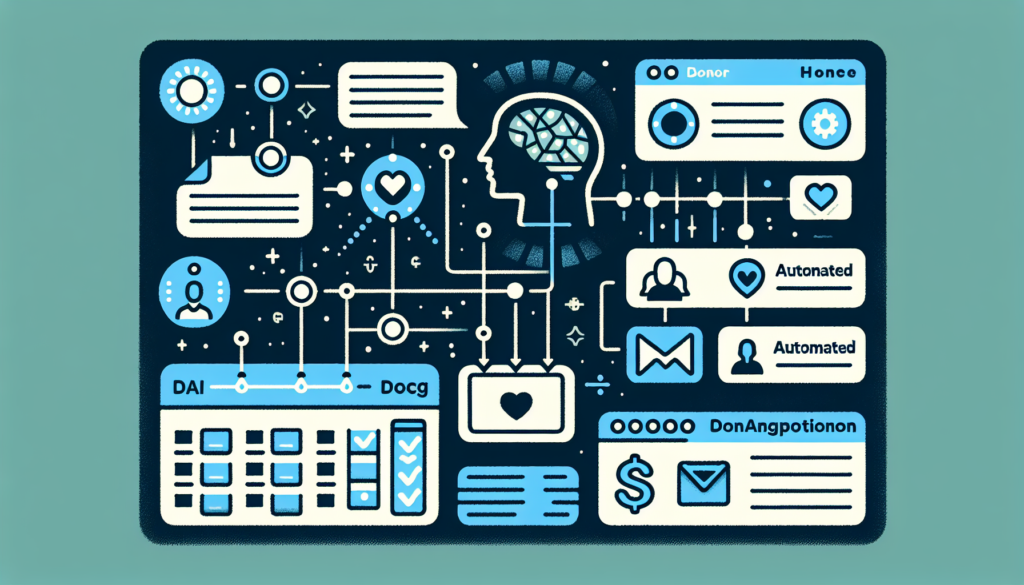
TL;DR: AI automation for nonprofit donor management takes the repetitive work out of the donor pipeline: drafting acknowledgments, segmenting lists, and surfacing lapsed donors before they are gone. The tools are ones most nonprofits already have or can get at nonprofit rates, including Claude, which offers registered 501(c)(3) organizations Team seats at $8 per user per month as of 2026. You don’t need a technical team to start, just the right workflow and a correctly configured tool. Scottship Solutions can help you identify both.
What You’ll Learn
- What Does AI Automation Mean for Donor Management?
- What Are the Biggest Time Drains in Nonprofit Donor Management?
- What Are the Key Use Cases for AI in Donor Management?
- What Does AI Automation Look Like in Practice?
- Which Tools Do Nonprofits Use for Donor Management Automation?
- What Does It Cost and How Do You Start?
- Frequently Asked Questions
- Your Next Steps
- Sources
What Does AI Automation Mean for Donor Management?
AI automation for donor management means using artificial intelligence to handle the operational work in your donor pipeline, the tasks that are repetitive, time-consuming, and don’t require a human relationship to complete. Writing the first draft of an acknowledgment letter. Identifying which donors haven’t given in 18 months. Segmenting your list before a campaign. Scoring which mid-level donors are most likely to give a major gift.
None of these tasks require a development director’s judgment. They require data, pattern recognition, and consistent execution, which is exactly what AI does well. When those tasks are handled automatically, your development staff can focus on what only humans can do: making calls, building relationships, and closing major gifts.
The nonprofit sector is catching up to this reality quickly. The organizations already using AI in their development operations are not larger or better funded than their peers. They are just earlier adopters of tools that are now widely accessible and, in several cases, free or nearly free to qualifying nonprofits.
What Are the Biggest Time Drains in Nonprofit Donor Management?
Before choosing a tool, it’s worth naming exactly where your development team’s time is going. The five most common time drains we see in nonprofit donor management:
- Personalized acknowledgment letters. Donors expect to be thanked by name, referenced by their gift, and connected to impact. Writing individualized letters for 50 to 500 donors after a campaign takes hours most teams don’t have.
- Donor segmentation for campaigns. Deciding who gets which appeal, based on giving history, capacity, interests, and engagement, requires pulling and filtering data that most CRMs make harder than it should be.
- Lapsed donor identification. Finding donors who gave 13 to 24 months ago, flagging those with the highest reactivation potential, and drafting reactivation outreach is almost always done manually, and often not done at all.
- Board and leadership reporting. Pulling retention rates, average gift size, campaign performance, and LYBUNT/SYBUNT counts into a readable format for board meetings typically falls to whoever knows the CRM best.
- Data cleanup and deduplication. Duplicate records, inconsistent naming, and missing fields are common. CRM hygiene is the unglamorous work that degrades every AI system that touches your data if it isn’t addressed first.
AI tools address items one through four directly. Item five, data quality, is a prerequisite for everything else, and it’s the first thing Scottship Solutions assesses before recommending any AI integration.
What Are the Key Use Cases for AI in Donor Management?
1. Personalized Donor Communications at Scale
AI writing tools like Claude can draft acknowledgment letters, appeal letters, and impact updates personalized to individual donors or donor segments, pulling in giving history, program interests, and personal details from your CRM. A development director reviews and approves; the AI handles the first draft. In our own client work the time saved on letter drafting is substantial, though the honest answer is that it depends on how clean your donor data is to begin with.
2. Donor Segmentation and Targeting
AI-enhanced CRMs like Salesforce and Bloomerang analyze giving patterns, engagement history, and demographic data to create dynamic segments. Instead of manually filtering your list before each campaign, the CRM surfaces pre-built segments based on behavior: first-time donors who need a conversion sequence, mid-level donors with major gift potential, lapsed donors with high reactivation probability.
3. Gift Propensity and Capacity Scoring
Propensity scoring uses AI to predict which donors are most likely to give, upgrade, or convert to major gifts, based on behavioral signals in your CRM combined with external wealth data. Tools like DonorSearch, now part of EverTrue, and Kindsight, formerly iWave, overlay this scoring onto your existing donor database, letting your major gifts officer prioritize the right conversations instead of guessing.
4. Lapsed Donor Reactivation
AI identifies lapsed donors by segment (LYBUNT, SYBUNT, multi-year lapsed) and scores each for reactivation likelihood based on past behavior. A configured workflow can automatically generate a draft reactivation sequence for each segment, reducing a two-week project to a 30-minute approval task.
5. Automated Thank-You Sequences
Immediate, personalized acknowledgment within 48 hours of a gift is one of the highest-impact retention moves available to nonprofits. AI-powered email automation triggers personalized sequences the moment a gift is recorded in your CRM. No manual sends, no backlogs after a major campaign.
6. AI-Assisted Grant Prospecting
AI tools can scan foundation databases, analyze grant guidelines, and flag funders whose stated priorities match your programs, reducing the hours spent on prospecting research and first-draft LOI preparation. This is particularly high-value for small development teams handling both individual giving and institutional fundraising.
What Does AI Automation Look Like in Practice?
The clearest way to understand what AI automation looks like at a small nonprofit is to look at what Scottship Solutions built for Pender County Head Start, a rural early childhood nonprofit in southeastern North Carolina.
Before the engagement, Pender’s family advocates faced a single bilingual-staff bottleneck. Every translation request for parent meetings, IEP documents, and enrollment intakes routed through one person. ESL families deferred conversations or relied on their children to interpret. The process had no scalability and no way to grow program reach without sacrificing service quality.
Scottship Solutions built an AI-powered workflow on Claude that automated the operational work: content drafts pulled from a calendar and generated in the organization’s brand voice, Canva design briefs created automatically, Asana tasks tracked without manual entry, and incoming photos auto-saved to Google Drive for immediate use. The result was a 75% reduction in content prep time, delivered in six weeks, with zero technical training required after handoff.
The same architecture applies directly to donor management. Instead of social media copy, the AI generates personalized donor acknowledgments, segment-specific appeal letters, and lapsed donor reactivation drafts. Instead of a content calendar, it reads from your donor database. The principles are identical: load your organizational context into the AI once, connect it to your existing tools, and automate the first draft of every operational communication. Your development staff reviews, edits, and sends.
For nonprofits with fewer than 25 staff, this model (AI as the operational layer, humans as the relationship layer) is the most practical path to a professionalized development operation without a full-time development team.
Which Tools Do Nonprofits Use for Donor Management Automation?
| Tool | Primary Use Case | Nonprofit Discount |
|---|---|---|
| Claude (Anthropic) | Personalized donor communications, appeal drafts, reporting narratives | Yes, Team at $8/user/month for 501(c)(3) organizations |
| Bloomerang | Donor engagement scoring, retention insights, automated acknowledgments | Nonprofit-only product; ask for a quote |
| Salesforce (Agentforce Nonprofit) | Donor segmentation, predictive scoring, campaign automation | Yes, 10 free licenses via Power of Us |
| DonorSearch by EverTrue | Wealth screening, predictive scoring, major donor identification | Nonprofit-only product; ask for a quote |
| Virtuous CRM | Responsive fundraising automation, dynamic donor journeys | Nonprofit-only product; ask for a quote |
| Mailchimp | Automated email sequences, segment-triggered campaigns | Yes, 15% discount for nonprofits and charities |
The right tool depends on your existing CRM, your team’s technical comfort, and your most urgent use case. Scottship Solutions can help you evaluate your current stack and identify where AI automation will have the highest immediate impact. See our AI & Automation services for details on how we work with nonprofits on implementation.
What Does It Cost and How Do You Start?
AI donor management automation doesn’t require a large budget to start. The entry point for most nonprofits is lower than expected:
- DIY with Claude plus an existing CRM: from $8 per user per month. Registered 501(c)(3) organizations qualify for Claude for Nonprofits Team pricing at $8 per user per month for teams under 20 seats, verified through Goodstack. Configure Claude with your donor communication templates and organizational context, then use it to draft all outbound donor communications. No CRM integration required, just a copy-paste workflow for teams not ready for deeper automation.
- AI-enhanced CRM (Bloomerang, Salesforce): quote-based. Priced by contact count or organization size rather than a published flat rate. Includes built-in segmentation, predictive scoring, and automated acknowledgments. Best for nonprofits ready to standardize their CRM as the central system of record.
- Custom implementation with Scottship Solutions: Scoped individually based on existing tools, complexity, and team size. Includes discovery, workflow design, tool configuration, and staff training. Most implementations deliver within 4 to 8 weeks. Contact us to discuss scope and pricing for your organization.
For a deeper look at how to approach AI implementation at your nonprofit, see How to Implement AI at Your Nonprofit: A Practical Roadmap.
Frequently Asked Questions
What is AI automation for nonprofit donor management?
AI automation for nonprofit donor management uses artificial intelligence to handle repetitive tasks in your donor pipeline, including drafting acknowledgment letters, segmenting your donor list, scoring gift likelihood, and flagging lapsed donors for reactivation. The goal is to give development staff more time for relationship-building by automating the operational work behind donor communications and reporting.
Which donor management platforms have built-in AI features?
Several platforms include AI features in 2026, though the branding moved faster than the software. Bloomerang offers engagement scoring and donor insights. Salesforce still supports the Nonprofit Success Pack but now points nonprofits to Agentforce Nonprofit, formerly Nonprofit Cloud, and its Power of Us program grants 10 free licenses of that product rather than of NPSP. Virtuous offers responsive fundraising automation, and Blackbaud Raiser’s Edge NXT ships AI-Driven Insights under its Blackbaud AI branding.
One practical warning. If a proposal or article still says “Einstein” or “NPSP licenses,” check which product it actually covers before you budget against it.
How much does AI donor management automation cost for a small nonprofit?
A small nonprofit can start AI-assisted donor management for as little as $8 per user per month, the Claude for Nonprofits Team rate for qualifying 501(c)(3) organizations as of 2026, used alongside an existing CRM. AI-enhanced CRM platforms are the next tier up and are priced by contact count or organization size rather than published flat rates, so ask each vendor for a nonprofit quote. A full custom implementation, including workflow design, tool configuration, and staff training, is scoped individually based on complexity and existing tools.
Can a small nonprofit with limited tech skills use AI for donor management?
Yes. Scottship Solutions designs AI donor management systems for nonprofits with no dedicated IT staff. The Pender County Head Start implementation, built for a team of fewer than 10, required zero technical training after delivery. Staff interact with AI tools through conversation, not code. The key is designing the system around the team’s existing workflow rather than requiring staff to adapt to new technology.
What is the difference between AI donor segmentation and traditional segmentation?
Traditional segmentation uses manual filters like giving history, geography, and campaign response to create static lists. AI segmentation analyzes patterns across hundreds of variables simultaneously: engagement frequency, communication preferences, giving behavior trends, and capacity signals. The result is more granular segments that update dynamically and surface insights manual filtering misses, like a mid-level donor with major donor potential.
What is the first step to using AI for donor management?
Start with your current biggest time drain, not the technology. Identify the single most time-consuming task in your donor communications, usually acknowledgment letter personalization or lapsed donor identification, and test whether an AI writing tool can handle it with minimal setup. Check what you already pay for before buying anything new. Note that Microsoft 365 Copilot is a paid add-on for nonprofits, discounted 15% rather than included, so confirm what your current licensing actually covers.
Your Next Steps
- Identify your single biggest time drain in donor communications, whether acknowledgment letters, lapsed donor outreach, or segmentation. That’s your starting point.
- Audit your CRM data quality before adding AI. Duplicate records and missing fields will undermine any automation layer you build on top of them.
- Test a low-stakes AI draft. Use Claude to write your next donor thank-you letter from a template and your donor data. It costs nothing and takes 20 minutes.
- Review the Pender County Head Start case study to see how Scottship Solutions built an AI translation workflow for a rural early childhood nonprofit with zero technical training required.
- Contact Scottship Solutions. We’ll map your current donor management workflow, identify where AI automation will have the highest immediate impact, and give you a clear scope of what implementation looks like for your organization.
Looking for more? Explore our AI and automation for nonprofits hub for guides, case studies, and service details.
Sources
- Fundraising Effectiveness Project: Donor Retention Benchmarks
- Anthropic: Claude for Nonprofits pricing and eligibility
- Salesforce: Power of Us Program license terms
- Nonprofit Technology Enterprise Network (NTEN): Research publications, including State of Nonprofit AI Adoption and Governance
- Blackbaud Institute: Charitable Giving Report
- Salesforce.org: Nonprofit Trends Report (AI adoption in development operations)
- Scottship Solutions: Pender County Head Start Case Study: AI Translation for ESL Family Engagement

Written by
Isabela Guimaraes
AI Consultant at Scottship Solutions
Isabela helps nonprofits and small businesses implement practical AI and automation solutions. She translates emerging AI capabilities into workflows that save time and expand mission impact.
Certifications
AWS Certified AI Practitioner • AWS Certified Cloud Practitioner • Google Cloud Generative AI Leader
Industries Served
Human Services, Healthcare & Community Health, Education & Youth Development, Child Advocacy