
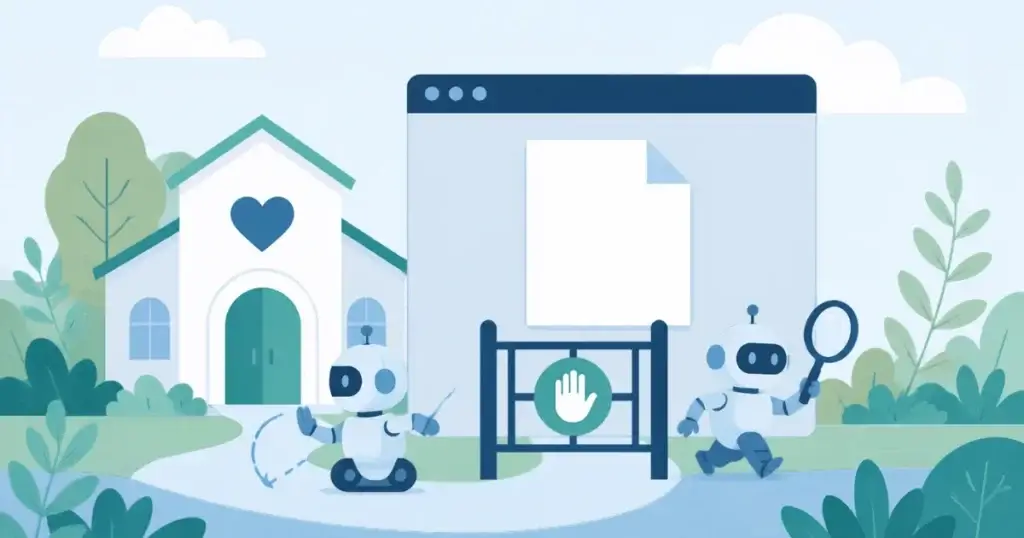
__usage_ai-training token, plus per-crawler rules, while search and answer crawlers stay allowed so your nonprofit still shows up in AI answers and search. OpenAI, Google, Microsoft and Anthropic announced on October 30, 2026 that they plan to support the token, with Anthropic saying it has begun recognizing it, but each vendor rolls out on a different schedule, so the per-crawler rules still do the work today. Scottship Solutions, which advises US nonprofits on AI and automation, explains the copy-paste file, the steps for common website platforms, and what robots.txt cannot do.
- What is the shared AI training opt-out in robots.txt, and who honors it?
- How do I opt out of AI training with robots.txt?
- Can my nonprofit opt out of training and still show up in AI answers and search?
- Which AI crawlers should I block in robots.txt, and which should I allow?
- How do I change robots.txt on WordPress, Squarespace, Wix and other nonprofit website platforms?
- Should our nonprofit opt out of AI training at all?
- What can robots.txt not do for AI training?
- How do I check that my robots.txt change worked?
- Sources and further reading
- Who can help a nonprofit decide which AI crawlers to allow and block?
For teams working through AI and automation for nonprofits, the robots.txt file is the simplest control over how AI companies treat a website. The short answer on how to opt out of AI training with robots.txt: add a Disallow: / group for the __usage_ai-training token and for each training crawler, and leave search and answer crawlers allowed.
The token comes from IETF Internet-Draft draft-kelley-aipref-training-preference-signal-00, an individual draft by Kevin Kelley of Anthropic with no standards standing, set to expire on May 3, 2027. OpenAI, Google, Microsoft and Anthropic announced on October 30, 2026 that they plan to support it, each on a different schedule. Every timing statement below is dated as of 2026-11-10, so recheck the vendor pages before you rely on one.
The file in this guide opts out of training and leaves search and answer crawlers allowed. Donors, grant seekers and families looking for your programs can still find you in AI answers, with one choice about Google-Extended that the sections below explain.
Not sure what your website should allow AI crawlers to do? AI and automation services from Scottship start with a conversation about which crawlers your nonprofit should block and which it should welcome. Tell us which platform your website runs on.
What is the shared AI training opt-out in robots.txt, and who honors it?
The shared AI training opt-out is a robots.txt group addressed to a special user agent, __usage_ai-training, followed by Disallow: /. Instead of naming every company’s crawler, a site owner states one AI preference signal that any participating vendor can read. The signal covers training only. It says nothing about search or answer features.
A blanket User-agent: * rule does not count as a training preference, according to the draft’s own text. A site with no group for the token expresses no preference at all. If you want the opt-out recorded, the token needs its own group.
Vendor timing is where the announcements differ. Only Anthropic says it has begun recognizing the signal, and it is rolling that out over time, so assume none honors the token fully until the vendor’s own documentation says otherwise.
| Vendor | What was announced or reported, as of 2026-11-10 | Where to verify |
|---|---|---|
| OpenAI | Said on October 30, 2026 that it plans to support the token. Aims to implement it “in the coming months.” | OpenAI’s announcement and crawler documentation |
| Said on October 30, 2026 that it aims to support the token in 2027. Plans to treat the token as a Google-Extended block when a site does not mention Google-Extended. | Google Search Central blog | |
| Microsoft | Said on October 30, 2026 that it plans to support the token, starting February 1, 2027. Stops treating NoArchive and NoCache as AI preferences after March 1, 2027. | Bing blog |
| Anthropic | Said on October 30, 2026 on its crawler help page that it has begun recognizing a no-AI-training signal and will roll it out across its services over time. The page does not print the token name, and says a ClaudeBot rule in robots.txt takes precedence. | Anthropic’s crawler help page |
| Meta | Voiced support. Not reported as committed. | TheNextWeb coverage and any Meta statement |
How do I opt out of AI training with robots.txt?
Five steps cover a typical nonprofit website. Work in a copy of the file first so you can restore the original.
- Find your current file. Open yourdomain.org/robots.txt in a browser and save the text.
- Add the token group. Place
User-agent: __usage_ai-trainingandDisallow: /in the file. - Add the per-crawler groups. Add a
Disallow: /group for GPTBot, ClaudeBot, CCBot and, if you choose, Google-Extended. - Keep what already works. Leave any Sitemap line and any Disallow rules for private paths exactly as they are, and do not add Allow groups for search crawlers, because allowed is the default.
- Save and test. Reload /robots.txt and confirm the live file matches what you saved.
Here is the full copy-paste block. Merge it into your existing file instead of replacing the file.
# Opt out of AI training (shared token announced 2026-10-30)
User-agent: __usage_ai-training
Disallow: /

# Per-crawler training opt-outs, keep until vendors honor the token
User-agent: GPTBot
Disallow: /

User-agent: ClaudeBot
Disallow: /

User-agent: CCBot
Disallow: /

# Optional: remove this group to stay eligible for Gemini Apps answers
User-agent: Google-Extended
Disallow: /
The first group is the shared token. The next three groups tell individual training crawlers to stay out, and the last group is the optional Google-Extended choice. The block has no Allow groups on purpose. A crawler with no matching group and no blanket block is allowed by default, so search and answer crawlers such as OAI-SearchBot, Claude-SearchBot, Googlebot and Bingbot stay allowed.
There is a second reason to leave Allow groups out. Under RFC 9309, a crawler that matches a named group reads only that group and ignores the User-agent: * group. If your file has Disallow: /wp-admin/ or a donor portal path under the blanket group, a named Allow group for Googlebot would stop those private-path rules from applying to it.
The per-crawler groups stay until each vendor honors the token, because they are the rules that work today. A nonprofit that wants only the token can keep just the first group. The tradeoff: no vendor has finished rolling out support, so that trimmed file may enforce little or nothing today.
Treat Google-Extended as a decision, not a default. Google documents that it covers Gemini training and grounding in Gemini Apps, and that it does not affect inclusion in Google Search or act as a ranking signal. The next section covers that tradeoff.
Can my nonprofit opt out of training and still show up in AI answers and search?
A nonprofit can opt out of training and keep its AI search visibility, because training, search and grounding are three different jobs. Training means a vendor collects pages to build or improve a model. Search means a crawler indexes pages so an assistant can cite them. Grounding means an assistant fetches a page at the moment someone asks a question.
Each vendor splits those jobs across different crawlers or settings, so blocking one does not have to block the others. OpenAI runs GPTBot for training, OAI-SearchBot for search and ChatGPT-User for fetches triggered by a person. Anthropic runs ClaudeBot for training and Claude-SearchBot for search. Google uses Google-Extended for the training choice and Googlebot for search.
Microsoft takes a different route: a page-level grounding setting with the values Allow, DisallowExtended and Disallow, described in its Bing blog post. Bingbot remains the search crawler.
The Google tradeoff deserves plain language. Google’s crawler documentation says Google-Extended covers Gemini training and grounding in Gemini Apps, and Google’s blog says sites that allow it can appear in Gemini Apps responses and receive clicks through grounding. Blocking it does not remove you from Google Search. If Gemini answers matter for how donors and grant seekers find you, allowing Google-Extended is a choice you make knowingly.
For a nonprofit, keeping search and answer crawlers allowed is how program pages, event pages and donation pages get cited when someone asks an assistant for help in your city. If you are still deciding which assistants your staff use, our comparison of Claude vs ChatGPT vs Copilot for nonprofits covers the differences. Staying visible in AI search is a separate setting from the training opt-out.
Which AI crawlers should I block in robots.txt, and which should I allow?
To block AI crawlers that collect training data, a GPTBot block, a ClaudeBot block and a decision on Google-Extended cover the main vendors, and CCBot covers Common Crawl’s web archive crawler. Allow the search and answer crawlers, since those are what bring your pages into AI answers. The table below is dated as of 2026-11-10. Verify every user-agent string against the vendor’s page, because names change.
| Vendor | Training crawler | Search or answer crawler | User-triggered fetcher | What blocking the training crawler affects |
|---|---|---|---|---|
| OpenAI | GPTBot | OAI-SearchBot | ChatGPT-User | Training collection by OpenAI. Search crawling stays allowed. |
| Anthropic | ClaudeBot | Claude-SearchBot | Claude-User | Training collection by Anthropic. Search crawling stays allowed. |
| Google-Extended (a robots.txt token, not a separate crawler) | Googlebot | Check Google’s crawler documentation | Gemini training and grounding in Gemini Apps. Google Search inclusion and ranking are not affected. | |
| Microsoft | No separate training crawler in our sources | Bingbot | Check the Bing blog | A page-level setting (Allow, DisallowExtended, Disallow) controls grounding preferences. |
| Common Crawl | CCBot | None | None | Common Crawl’s open web archive crawler, blocked by name in the same way. Confirm current use on commoncrawl.org. |
One trap sits outside the file. A host, a CDN or a Cloudflare AI-bot toggle can block search crawlers too, even when your robots.txt allows them. Check those dashboards after you edit the file, since a toggle there overrides your intent.
How do I change robots.txt on WordPress, Squarespace, Wix and other nonprofit website platforms?
The method depends on the platform, and the platform’s current help page is the final word. Vendors change these screens often, so the notes below point to where to look. Confirm each one on the vendor’s help page before you edit.
On WordPress, you edit robots.txt with a file editor on the host or with an SEO plugin. Yoast SEO has a File Editor under Yoast SEO, Tools, and Rank Math has Edit robots.txt under Rank Math SEO, General Settings, in Advanced Mode. Both can be unavailable if a physical robots.txt file sits in the site root or file editing is disabled. Plugins and hosts that generate the file dynamically can overwrite a hand-edited copy, so recheck the live file after any plugin update.
On Squarespace, look in the site settings for a crawler or AI-bot control and confirm in Squarespace’s help center. On Wix, check the SEO tools for a robots.txt editor, and confirm in Wix’s help center. If a platform offers no editing, ask the vendor for the control, or place a CDN rule in front of the site.
Wild Apricot and Blackbaud-hosted sites need a direct answer from the vendor. We have not verified their current help pages, so ask support whether the robots.txt control exists on your plan before you plan around it.
For some nonprofits the real blocker is access. A former volunteer registered the domain, a past agency holds the hosting login, or DNS sits in an account nobody remembers. Find out who owns the domain registration, the hosting account and the CDN login before you schedule the edit.
Cost is mostly staff time. The table below lists the direct cost of each route, with no dollar figures, because plan pricing changes.
| Option | Direct cost | What to verify |
|---|---|---|
| Edit the file yourself | No software fee, staff time only | That you have hosting or CMS access |
| WordPress SEO plugin or file editor | Depends on the plugin tier | Current plan terms on the plugin vendor’s page, dated |
| Host or CDN setting, such as Cloudflare managed robots.txt | Cloudflare documents it as available on all plans | Current terms on the vendor’s page, dated |
Should our nonprofit opt out of AI training at all?
Whether your nonprofit should opt out depends on the content, and a mission-driven organization should decide it on purpose instead of by default. Public program pages are what you want AI answers to quote, so keep them open. Original research and reports are the strongest case for opting out, since that work is your organization’s own asset. Donor and client information needs real access controls such as logins and permissions, never robots.txt alone.
The decision belongs to people, not to the web editor. The executive director, the board, communications and whoever runs IT each hold part of it. A short checklist keeps the conversation concrete:
- Which pages carry your mission, programs and calls to action, and should show up in AI answers?
- Which pages hold original research that took real effort to produce?
- Which grant agreements or privacy commitments touch your published content?
- Who signs off on the final robots.txt, and who reviews it each quarter?
We make no legal claims here. If a funder agreement or privacy rule is involved, read it or ask counsel. For the wider policy picture, see our guide to AI ethics for nonprofits and our piece on nonprofit AI governance.
What can robots.txt not do for AI training?
Robots.txt is a voluntary request, and nothing forces a crawler to follow it. It applies prospectively, so it does not remove data a company already collected. It sets no licensing or payment terms. It is not access control, so anything public stays reachable by a person or a crawler that ignores the file.
The token itself has limits too. It lives in an individual IETF draft, not a standard. Meta voiced support for it but did not commit, according to TheNextWeb.
Other signals exist, such as the noai and noimageai meta tags and an ai.txt file. We have not verified how widely any vendor respects them, so treat them as extras and not as the main control.
How do I check that my robots.txt change worked?
Start by fetching the live /robots.txt in a private browser window and reading it line by line. Confirm it matches what you saved, because a plugin, host or CDN can overwrite the file. Then run the Google Search Console robots.txt report to see how Google reads it.
Check that no wildcard rule gives false assurance. A User-agent: * group with Disallow: / would also block search crawlers you meant to allow, and per the draft it does not count as a training preference anyway.
Recheck crawler names against vendor documentation each quarter. Vendors add and rename crawlers, and the timing for the shared token will move as each company ships its support.
Frequently Asked Questions
How do I opt out of AI training with robots.txt?
Add a group for the __usage_ai-training token with Disallow: /, add the same rule for each training crawler you want to block, and leave search and answer crawlers without a block so they stay allowed. Save the file at your domain root and confirm the live version at /robots.txt. The full block and steps are above.
Will opting out of AI training hurt my Google rankings or my visibility in AI search?
Blocking training crawlers does not block Googlebot, OAI-SearchBot, Claude-SearchBot or Bingbot, which handle search and answers. Google says Google-Extended does not affect inclusion in Google Search or act as a ranking signal. It does cover Gemini training and grounding in Gemini Apps, so blocking it can reduce Gemini answer visibility. Scottship Solutions can walk your team through that choice for your content.
Does robots.txt remove content that AI companies already collected?
No. Robots.txt applies going forward and does not delete data a company already holds. Removal requests, if a vendor offers them, are a separate process handled by that vendor.
Do AI companies actually honor robots.txt?
Honoring robots.txt is voluntary for any crawler. OpenAI, Anthropic and Google document named crawlers, which is why per-crawler rules are the working layer today, and the shared token adds a second layer as vendors ship support. To block AI crawlers or stop AI from scraping your website with certainty, use real access controls such as logins, because robots.txt is only a request.
How much does it cost to opt out of AI training?
Editing the file carries no direct fee. The real costs are staff time and the visibility tradeoff, and some plugins or CDN plans carry their own pricing, so verify that on the vendor’s page. Scottship Solutions can review what your nonprofit should allow and block.
Sources and further reading
- IETF Datatracker, draft-kelley-aipref-training-preference-signal: the __usage_ai-training token, an individual draft by Kevin Kelley of Anthropic with no standards standing, expiring May 3, 2027
- Google Search Central blog, AI training control: Google aims to support the token in 2027 and to treat it as a Google-Extended block if Google-Extended is not mentioned, as of November 2026
- Google Search Central, Google’s common crawlers: Google-Extended and Googlebot, including Gemini Apps grounding and Search inclusion
- Bing blog, Your content, your choice: Microsoft’s timing for the token and its page-level grounding setting, as of November 2026
- OpenAI, Helping websites express AI training preferences: OpenAI aims to implement the signal in the coming months
- OpenAI developer docs, bots: GPTBot, OAI-SearchBot and ChatGPT-User
- Claude Help Center, does Anthropic crawl data from the web: ClaudeBot, Claude-SearchBot and Claude-User; states Anthropic has begun recognizing the no-AI-training signal
- TheNextWeb, AI training opt-out via robots.txt: vendor timelines, Anthropic’s started work and Meta’s stated support, published October 31, 2026
- IETF, RFC 9309 Robots Exclusion Protocol: how a crawler matches a named group before the blanket group
- Yoast, how to edit robots.txt through Yoast SEO: the File Editor under Tools
- Rank Math Knowledge Base, how to edit robots.txt with Rank Math: Edit robots.txt in Advanced Mode
- Cloudflare docs, managed robots.txt: available on all plans, as of November 2026
- Common Crawl, CCBot: the crawler and how to block it by name
Who can help a nonprofit decide which AI crawlers to allow and block?
Scottship Solutions advises nonprofits on AI and automation policy, including what a website should allow AI crawlers to do. If you want help deciding, we can walk you through it and review the file before it goes live.
AI and automation support from Scottship starts with a conversation about your content and your goals. Tell us which pages you want visible in AI answers.

Written by
Parker Davis
System Architect at Scottship Solutions
Parker works hands-on with nonprofit and small business leaders on IT strategy, cybersecurity, AI implementation, and cloud architecture. He leads the work at Scottship Solutions that helps mission-driven organizations build reliable, secure technology infrastructure.
Certifications
IBM AI Product Manager • Lean Six Sigma Yellow Belt • TOGAF Standard • Claude Certified Architect
Industries Served
Human Services, Healthcare & Community Health, Arts & Culture, Education & Youth Development, Faith-Based, Foundations & Grantmakers, Child Advocacy